Quality checking begins with the agreed result and ends with the actual file, page or system the client will receive. A checklist helps you remember important checks, but the evidence comes from performing them and recording what happened. Different disciplines need different checks; no short list certifies every digital project. This guide develops the checking stage of manage freelance projects.
Turn acceptance conditions into observable checks
Use write project brief acceptance criteria to identify what the deliverable must do. Replace “looks good” with a condition a reviewer can inspect: approved wording appears, the specified format opens, the expected calculation produces the correct result, or a named form completes the agreed path.
For each condition, identify the test object, the method and the expected result. A working file, an export and an uploaded version are different objects. If the client receives the PDF, opening only the design source does not establish that the delivered PDF works. If a website page links to a form, a screenshot of the page does not exercise the form.
Prioritise by the consequences of failure. A wrong event date, inaccessible delivery link or incorrect total can be more consequential than a minor decorative inconsistency. Record unresolved issues openly. Do not average several minor passes into a score that hides one essential failure.
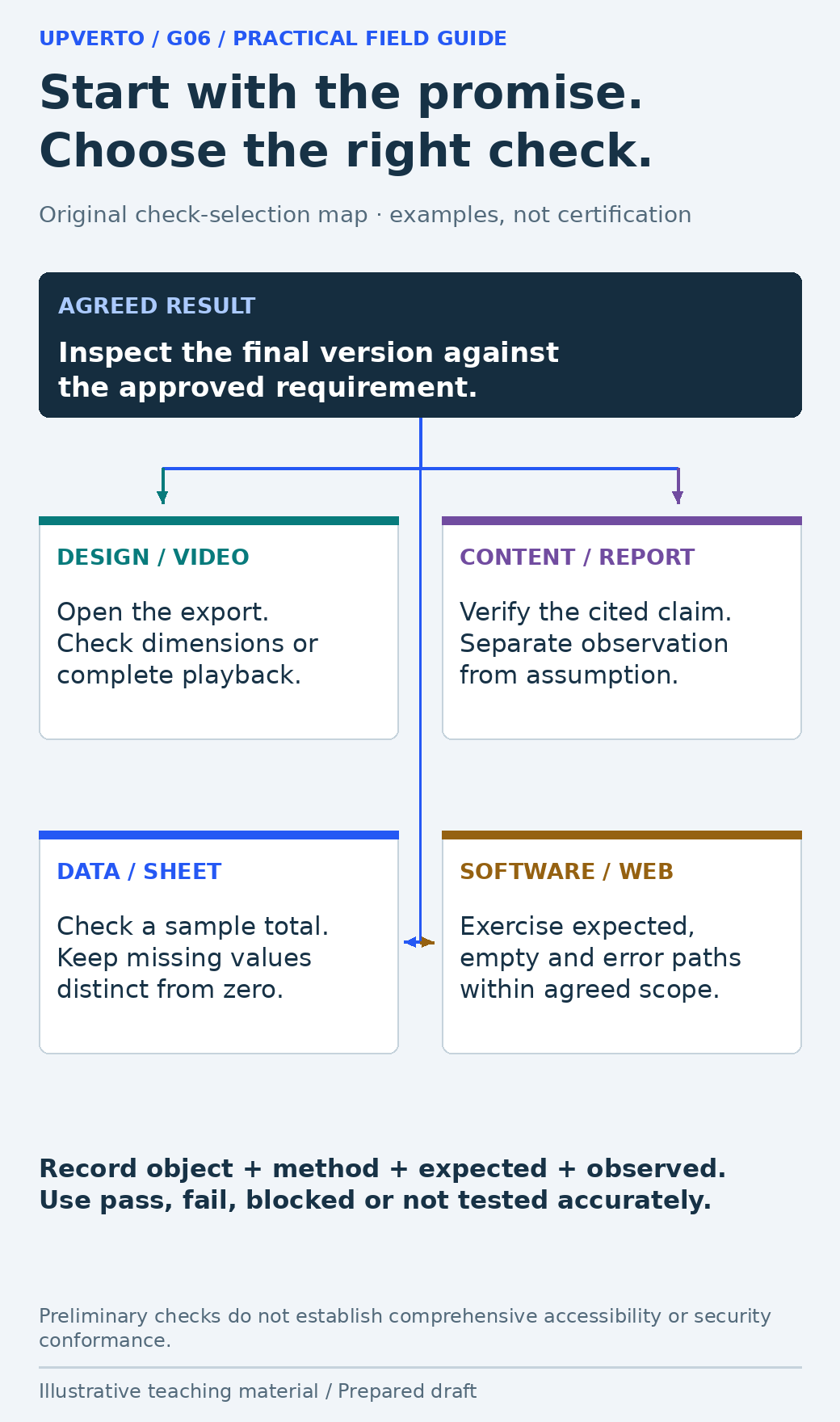
Read the text version: Select quality checks that match the actual deliverable
Start from the approved requirement and inspect the actual final object. Design/video work may need export dimensions or complete playback; content needs claims checked against sources; data needs sample calculations and explicit missing values; software needs relevant normal, empty and error paths. Record the object, method, expected result and actual observation. Preliminary checks are not a complete accessibility or security assessment.
Run the checks shared by most digital work
| Area | Evidence to seek |
|---|---|
| Correct version and scope | The final item matches the agreed deliverables and approved input version |
| Content accuracy | Names, dates, numbers and labels are compared with the authorised source |
| Usability and access | The intended recipient can reach, open and understand the result |
| Format and compatibility | The required dimensions, file type, device or supported environment are checked |
| Permissions and dependencies | Third-party assets, access and required software are identified |
| Handover readiness | Final files are distinguishable from drafts and instructions explain what to do |
Use a preserved source of truth for factual checks. If the source is itself ambiguous, record the uncertainty and ask the owner. Checking a date against a second unapproved copy does not resolve the ambiguity. Never mark an unknown field as zero, false or complete merely to make the sheet look tidy.
Keep the review proportional. A low-risk caption correction does not need a sprawling test programme, but it does need a check of the corrected caption and affected export. Broaden checks when the change could affect another function or when a previous problem gives you a concrete reason.
Add the checks your discipline requires
| Work type | Additional checks |
|---|---|
| Graphic design or document | Hierarchy at intended size; text clipping; required dimensions; readable export; supplied asset usage |
| Video or audio | Complete playback; intelligible audio; caption timing and wording; agreed aspect ratio and export |
| Written content or report | Sources support claims; observations differ from assumptions; links and headings work; limitations are accurate |
| Spreadsheet or data task | Sample calculations; expected types; duplicate handling; missing values; filters and formulas in the delivered file |
| Website or software feature | Normal, empty and error paths; relevant links and input handling; supported devices; access boundaries and recovery |
For websites, W3C WAI’s Easy Checks provides a preliminary accessibility review and explicitly warns that it is not comprehensive. Passing a few checks does not justify a blanket accessibility-conformance claim. Define the required level of assessment and obtain suitable expertise when the project needs it.
Likewise, the OWASP authorisation guidance is useful when the task involves permissions, but reading a checklist is not a security audit. Be specific about the authorised checks you performed and what remains outside your competence or scope.
Worked example: a date error survives export
Fictional scenario: The approved workshop source says 21 November. A designer corrects the working layout, but the delivery folder still contains an older square export showing 14 November. The print export has the correct date. A review of the source file alone would miss the mismatch.
| Object checked | Expected | Fictional observation | Decision |
|---|---|---|---|
| Approved source | 21 November | Source confirmed by organiser | Use as comparison baseline |
| Square delivery PNG | 21 November | Old export says 14 November | Replace and reopen final file |
| Print delivery PDF | 21 November | Date matches source | Record pass for this check only |
| Delivery folder | Only intended final outputs | Old square file remains | Remove ambiguity using agreed version process |
The correction is to regenerate the square export from the approved working version, open the actual new file, compare its wording and dimensions, and update the delivery note. The graphic shows an illustrative check record; it is not evidence that a real project was tested. In your own work, record the real file identifier, observation and reviewer.
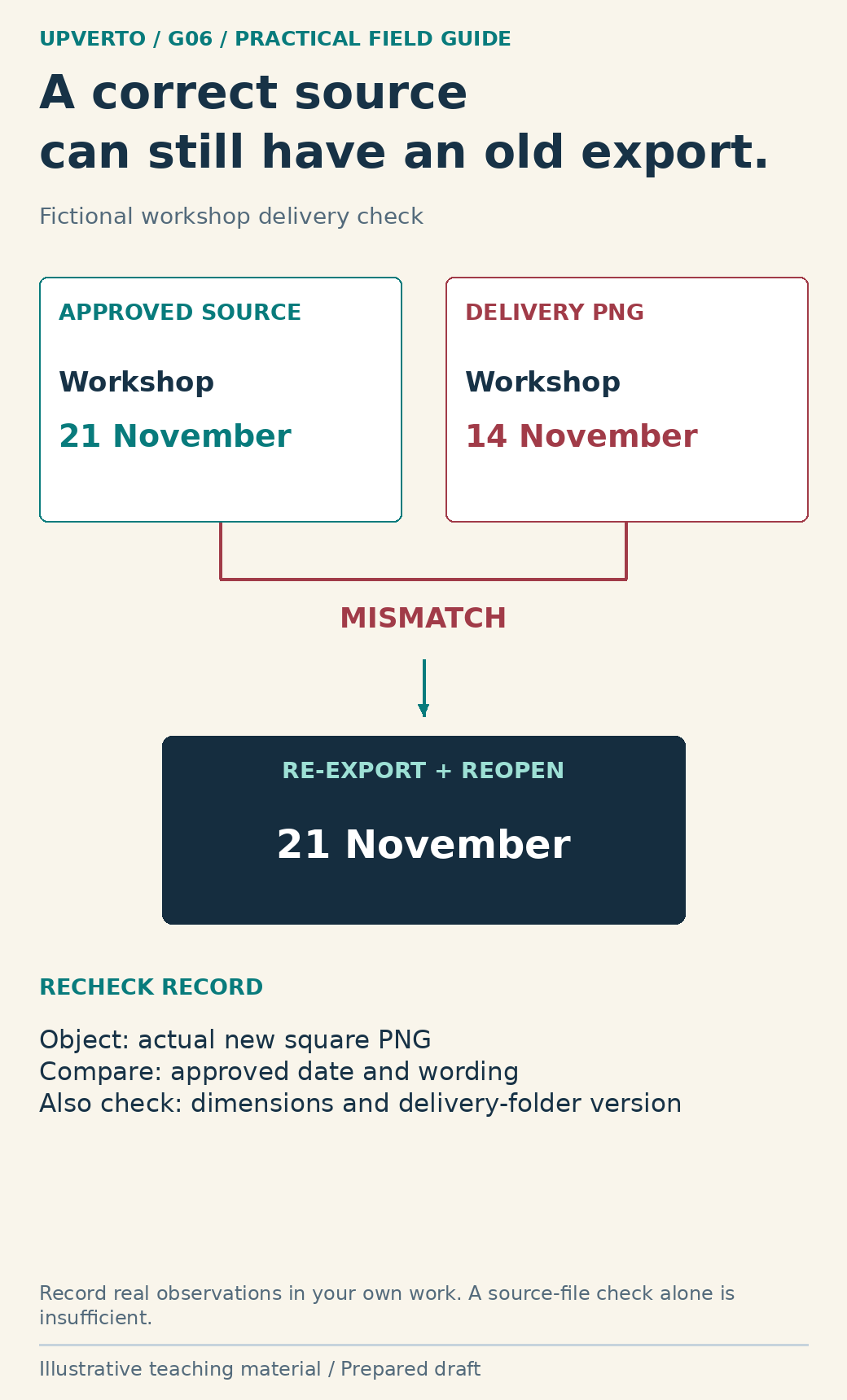
Read the text version: Check the delivered export rather than only its source
In this fictional scenario, the approved date is 21 November but an old delivery PNG still shows 14 November. Re-export from the approved source, reopen the actual new PNG and compare its date, wording and dimensions. Check that the delivery folder identifies the correct version. The illustration is not a claim that a real client file was tested.
Copy a delivery check record
| Field | What a useful entry contains |
|---|---|
| Requirement | The agreed condition being checked |
| Object and version | Exact file, page or build under inspection |
| Method and environment | What you did and the relevant viewing or execution context |
| Expected result | A concrete condition, not merely “fine” |
| Observed result | What actually happened, including errors or missing evidence |
| Status | Pass, fail, blocked or not tested; do not merge these |
| Correction and recheck | What changed and what you checked afterwards |
| Limitations | Conditions, devices or cases not covered |
A failed check is useful if it leads to a controlled correction. Preserve enough detail to reproduce the problem without copying unnecessary personal data into the log. After fixing it, recheck the affected result. If the change can affect other relevant outputs, check those too; if it cannot, avoid expanding the exercise just to generate a longer report.
Keep “not tested” separate from “failed.” A feature may be untested because access is unavailable, which is a different decision from observing a defect. Neither status should be presented as a pass. Explain any material remaining limitation before asking the client to accept delivery.
Make a delivery decision with honest limits
Deliver when the agreed conditions are satisfied or when remaining limitations have been explicitly discussed and handled within the appropriate agreement. Do not hide a required failure behind a green summary label. If a critical issue is beyond your ability, preserve the work, explain the effect and seek an authorised way forward.
The ready for paid client work checklist helps assess whether you can reliably perform the specific task and its checks. Once the actual deliverables are ready, use freelance project handover to package files, evidence, instructions and support boundaries. Quality is the relationship between the promise and the inspected result, not the number of checkboxes.
Frequently asked questions
Should I check the source file or the exported file?
Check the actual deliverable, using the source and approved inputs as references where appropriate. Exporting or uploading can introduce a new error or leave an old version in place. The recipient’s experience is the relevant final check.
Does passing an accessibility checklist certify a website?
No. Preliminary checks cover only some issues. Define the required assessment, perform suitable testing and avoid a conformance claim that exceeds the evidence. W3C’s Easy Checks states this limitation explicitly.
What if I cannot test a required feature?
Mark it blocked or not tested, explain why and identify what is needed. Do not convert lack of evidence into a pass. Resolve the material gap or agree an appropriate limitation before delivery.
Do I need to retest everything after a small change?
Recheck the changed result and anything plausibly affected by it. Expand testing to address a concrete risk, dependency or required gate. A relevant focused recheck is more useful than blindly repeating unrelated checks.
How should I record a subjective design review?
Name the purpose, intended viewing context and specific observation, such as a date being hard to locate. Distinguish that review from a measured user study. Do not invent reader feedback or results.
What should I do with a serious issue outside my ability?
Preserve the current state, explain the issue and its effect, and agree the next step. That may involve qualified help, narrowing the task or pausing delivery. Do not experiment on a live client system beyond the authorised scope.
Sources and scope
The worked examples, worksheets and diagrams are original fictional teaching materials. They are not reports of client results. Primary references were checked during preparation; verify current rules and account-specific features before acting.