
Your product idea now has a user and a task. You have investigated how the task happens and found a reason to try a different approach. Now decide how little to build while still learning something useful.
A small first version should complete one meaningful journey. It should let you check whether information goes in correctly, whether the result helps and whether mistakes are visible. A beautiful opening screen cannot answer those questions by itself.
This guide turns an idea into a short build brief, a sequence of manageable learning tasks and a test sheet. You can use it for a personal tool, an internal business application or an early product experiment. It does not treat a practice project as ready for public customers.
Choose one user and one complete job
Rida, a fictional student in Multan, wants to make a reusable equipment-loan tracker for small community groups. The broad idea includes reservations, reminders, photographs, multiple branches and an AI assistant.
Her first learning version does much less: one organiser records an invented equipment loan, sees that it is outstanding, marks it returned and finds the completed record after restarting the program.
The end matters. If the tool only accepts information but cannot retrieve it, Rida cannot test the complete job. If it shows a loan as returned but loses that change after reopening, the main task still fails.
Her brief reads: “For one organiser using invented records on one device, help track whether an equipment item is on loan or returned.” That sentence also makes the limits visible. It is not a shared booking service, a security-reviewed customer system or an automatic reminder product.
Separate a sketch from a working slice
A sketch can help you investigate whether people understand the layout. A clickable prototype can help you explore movement between screens. A working slice connects the necessary pieces so a particular task really completes within a defined test setting.
You may need all three at different moments. Choose according to the question. Do not build a database merely to ask whether a button label is clear. Do not use a static sketch as evidence that saved records survive a restart.
The GOV.UK Prototype Kit guidance distinguishes exploratory prototypes from production services and warns against using its prototype code for production. The broader lesson for this project is to label what your test version can and cannot demonstrate. GOV.UK guidance on prototyping
Rida first draws a form and a list. Then she builds the smallest local version that can save a record and retrieve it.
Write a short build contract with yourself
Before implementation, Rida records five decisions:
- Input: an invented item code, a borrower alias and a loan date.
- Action: save a loan or mark an existing loan returned.
- Output: separate outstanding and returned records with clear labels.
- Persistence: saved changes remain after closing and reopening the program.
- Exclusions: no real personal data, shared accounts, automatic messages, payments or AI-generated decisions.
Persistence means information remains available after the running program stops. Learning that concept gives her a reason to study files or a database. She can start with whichever storage method her learning materials support and understand its limitations.
She also decides what counts as invalid input. An empty item code should not silently become a valid loan. A second active loan for the same unique item should be rejected or explicitly resolved, rather than creating contradictory records.
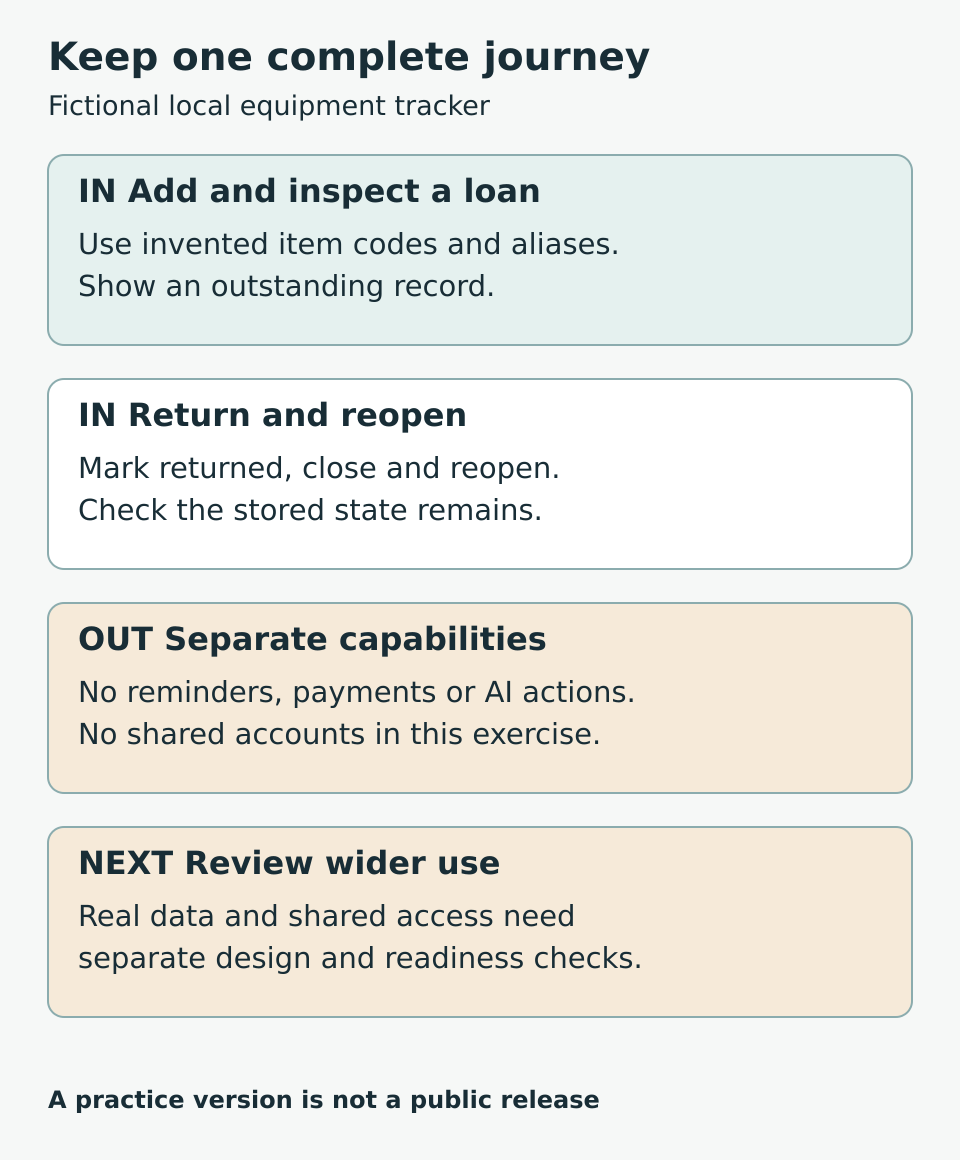
Figure 1. Keep the complete core journey while postponing separate capabilities.
Build one observable step at a time
Rida begins with an invented record displayed on screen. Next she accepts a record from an input form. Then she saves it and checks that it can be loaded. Only after that does she add the returned state.
At each step she writes a prediction before running the program. “After I mark E03 returned and restart, it should appear only in the returned list.” The prediction gives her a specific comparison instead of a vague feeling that the program works.
If an AI assistant helps write code, she asks for an explanation of the relevant part and traces one record through it. She changes a sample input herself and checks the result. Code that runs once but remains impossible for her to explain needs another learning pass.
Keep a recoverable practice copy before a substantial change. Test one change at a time so failures are easier to investigate.
Make the test sheet before the demonstration
A test case has a starting condition, an action and an expected result. Add the observed result after running it. A pass means the observation matched that expectation in that test, not that every possible use is safe.
Rida’s first test sheet includes:
- Normal entry: add E01 with a valid alias and date; one outstanding record appears.
- Missing input: leave the item code empty; the tool explains what is required and saves no incomplete record.
- Duplicate item: try to add E01 again while it is on loan; the tool follows the stated duplicate rule.
- Return: mark E01 returned; it leaves the outstanding list and remains visible in the returned list.
- Restart: close and reopen; the returned state remains.
- No records: start with an empty practice file; the tool shows a clear empty state.
- Storage failure: in a disposable test setup, make saving unavailable; the tool does not falsely report that the record was saved.
The last case may require help or further study. Record it as not yet tested rather than marking it passed. Do not damage an important file or change system security settings to create a failure. Use isolated practice material and a recovery copy.
For each failure, keep the steps that reproduced it. Repair one cause, rerun the failed case and rerun earlier cases that the change could affect.
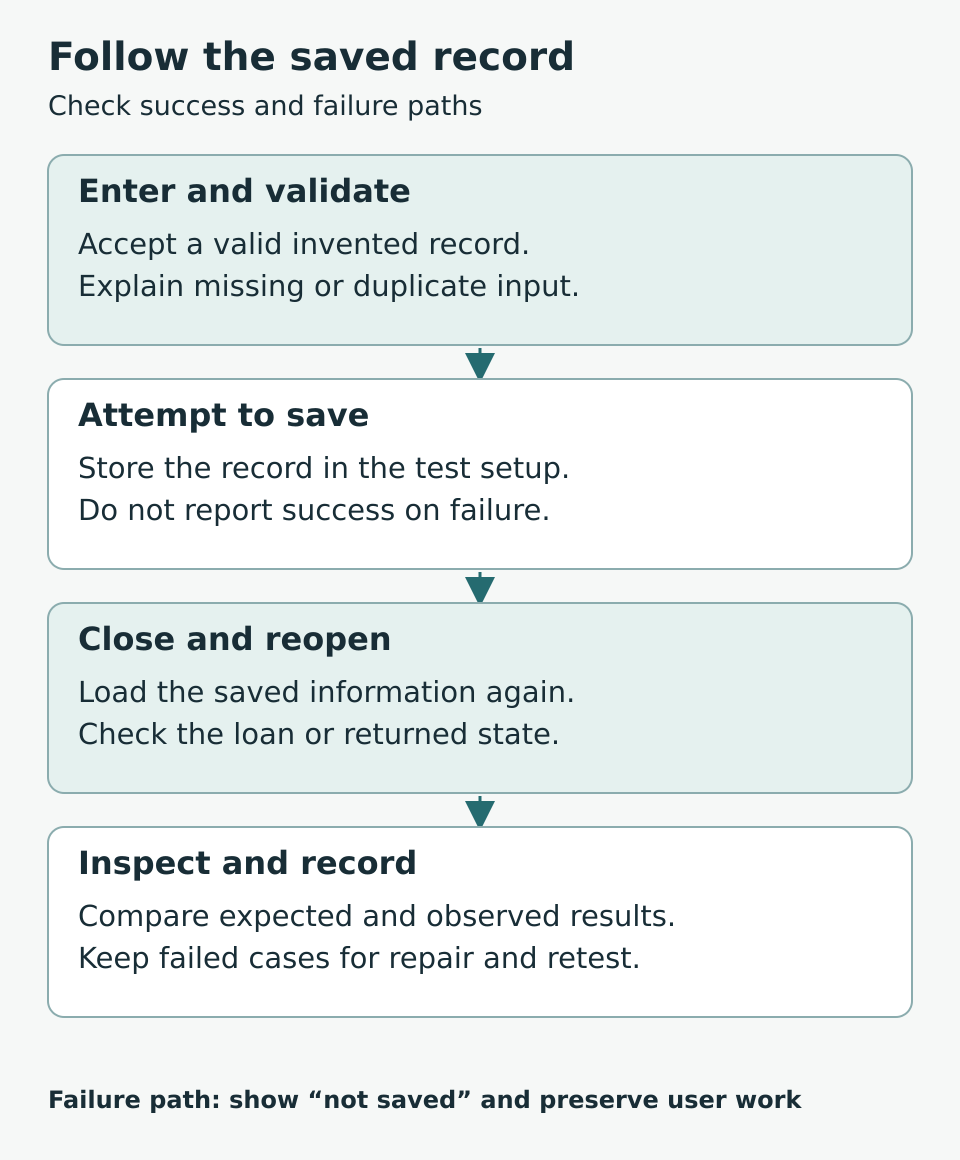
Figure 2. Test the saved result and the failure path, not only the successful button click.
Let another person try without a guided tour
When the core checks work, invite a suitable participant to try the local test version with invented data. Explain its limits. Give a task: “Record E04 as borrowed, then mark it returned and find it again.” Avoid naming every button to press.
Observe where the person hesitates and what they think happened. If they believe a record was saved when it was not, that is a product problem worth investigating. Ask them to describe the result in their own words instead of merely asking whether they liked the design.
Separate a usability problem from a technical failure. “I could not find Returned” suggests labels or layout need attention. “The returned record vanished after restart” suggests a data or state problem. Both matter, but they lead to different next tasks.
A successful session does not establish that the tool works for simultaneous users or on every device. Those conditions need separate tests.
Decide whether AI has a useful next role
Rida does not need AI to store an item code or change a loan’s status. A future experiment might help search a catalogue using a natural-language description, but that is a different task with its own expected results and error cases.
Before adding it, she would ask whether a normal search or a better item label solves the problem. If she experiments with model suggestions, they should not silently change loan records. The organiser should remain able to complete the core task when that optional feature is unavailable.
This keeps the learning sequence grounded. First understand the workflow and saved information. Then investigate a specific limitation. An AI feature earns its place through a useful comparison, not through the product’s name.
Complete your first version worksheet
Write the following before starting the next coding session:
- One user, one setting and one task.
- The beginning and end of the complete journey.
- Three necessary capabilities and three exclusions.
- The information you will use, preferably invented for practice.
- An expected result for normal, empty, invalid and interrupted cases.
- How you will recover your practice work after a mistake.
- What a participant will attempt without your coaching.
- What must be learned before any wider release.
Keep the final item honest. Shared access, personal information, backups, accessibility and reliable operation may require substantial additional work. A smaller scope helps you investigate them in order; it does not remove them from a future product.
Frequently asked questions
Is this the same as an MVP
People use “minimum viable product” in different ways. Here the first version is a bounded learning tool that completes one task in a stated setting. Name its actual capabilities and limits rather than relying on an acronym to imply readiness.
Do I need login and accounts immediately
Not for this single-device, invented-data exercise. If different people need private records, account and access design become part of the scope and need their own tests. Do not expose a local practice tool as a shared service without that work.
Can a spreadsheet be my first version
Yes, if it lets you investigate the task. It may reveal useful field names, states and mistakes before you build an application. Be clear about what it does not test, such as the behaviour of a future web service.
How many features should I include
Include what is necessary to complete the chosen journey and inspect the result. A fixed feature count is less useful than a clear boundary. Postpone unrelated capabilities, but keep essential error handling for the task you are testing.
What if I cannot fix a failed test yet
Record the failure, keep a reproducible example and identify the concept you need to learn. Narrow the scope if necessary. Do not label a known failure as complete because the rest of the demonstration looks good.
When can I offer it to real users
Only after considering the actual data, access, reliability, support and other requirements of that use. A successful local exercise is not a release approval. Use a separate readiness review before an authorised real-world pilot.
Your next step
Write one complete journey and three tests before writing another feature. Build until you can perform that journey, close the program and inspect the saved result again. Keep the failures alongside the successes. They are the clearest guide to what you should learn and repair next.