A project brief turns a conversation into a shared description of the work. It should explain the problem, deliverables, inputs, constraints and decisions needed to finish. Acceptance criteria make completion inspectable: the people involved can check the same result instead of relying on different meanings of “done.”

In this guide
The broader guide to manage freelance projects covers delivery. This article focuses on the brief that supports it. The sample is a practical planning document for a fictional page-update project, not a universal legal contract template.
Start with the discovery outcome
Collect the relevant decisions from the discussion: who needs the work, what problem they face, what output is expected and what is outside scope. Use freelance discovery call questions to prepare that conversation. Do not write a confident brief while material questions remain unanswered; mark them and assign an owner.
Separate the purpose from the solution. “Visitors need current workshop dates and a clear request route” is the purpose. “Update three existing information pages” is the proposed deliverable. The purpose helps evaluate a change request; the deliverable defines what the current project actually includes.
Record the source of required content and assets. Identify who approves them and when they must be available. If the project depends on access, a third-party response or another team’s work, make that dependency visible. A date without its conditions can create a promise nobody intended.
Write a brief that another person can use
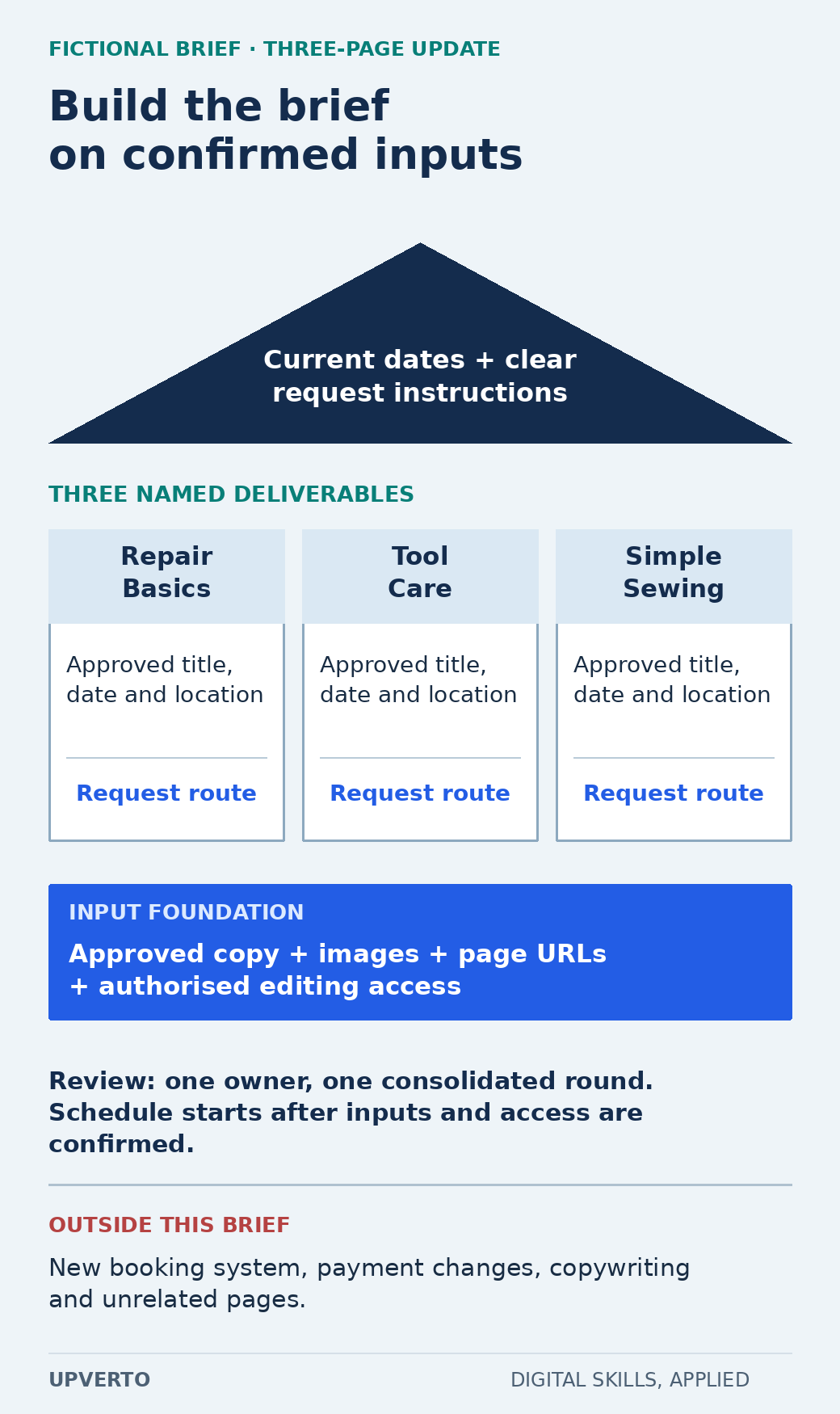
Read the text version: Define purpose, named deliverables and dependencies
Purpose: current workshop dates and clear request instructions. Named outputs: updated Repair Basics, Tool Care and Simple Sewing information pages. Each uses approved facts and an existing request route.
Required inputs: approved copy, images, page URLs and authorised editing access. Review: one owner and one consolidated round. The schedule starts after inputs and access are confirmed.
Excluded: a new booking system, payment changes, copywriting and unrelated pages.
| Field | Fictional project entry |
|---|---|
| Problem | Three workshop pages contain inconsistent dates and request instructions |
| Deliverables | Updated pages for Repair Basics, Tool Care and Simple Sewing |
| Inputs | Owner-approved copy, images, page URLs and authorised editing access |
| Included work | Apply supplied content, align the existing layout and check the agreed links and screen sizes |
| Exclusions | New booking system, payment changes, copywriting and unrelated pages |
| Review | One consolidated review round from the named owner |
| Dependency | Schedule begins after complete inputs and access are confirmed |
| Handover | Approved pages, check record and unresolved items if any |
The brief does not need to reproduce every earlier message. It needs a current, consistent version of the decisions that affect delivery. Give the document a version date and identify the person authorised to approve changes. If several people review, specify how conflicting feedback is resolved.
Make acceptance criteria observable
GOV.UK’s user-story guidance describes acceptance criteria as outcomes used to check whether the task has been met. Its guidance on better criteria emphasises language that developers, reviewers and owners can understand. Apply that principle even when the project is not software.
A weak criterion is “The pages look professional.” It can start a design discussion, but it does not identify what to inspect. A stronger criterion is “Each named page shows the approved title, date, location and request instruction, and its request link leads to the owner-approved destination.” The reviewer can compare the output with supplied facts.
Include relevant conditions. Which screen sizes or browsers are in scope? What happens when required content is missing? Does a request action open an existing form or create a new booking? The criterion should fit the agreed deliverable and avoid silently expanding it.
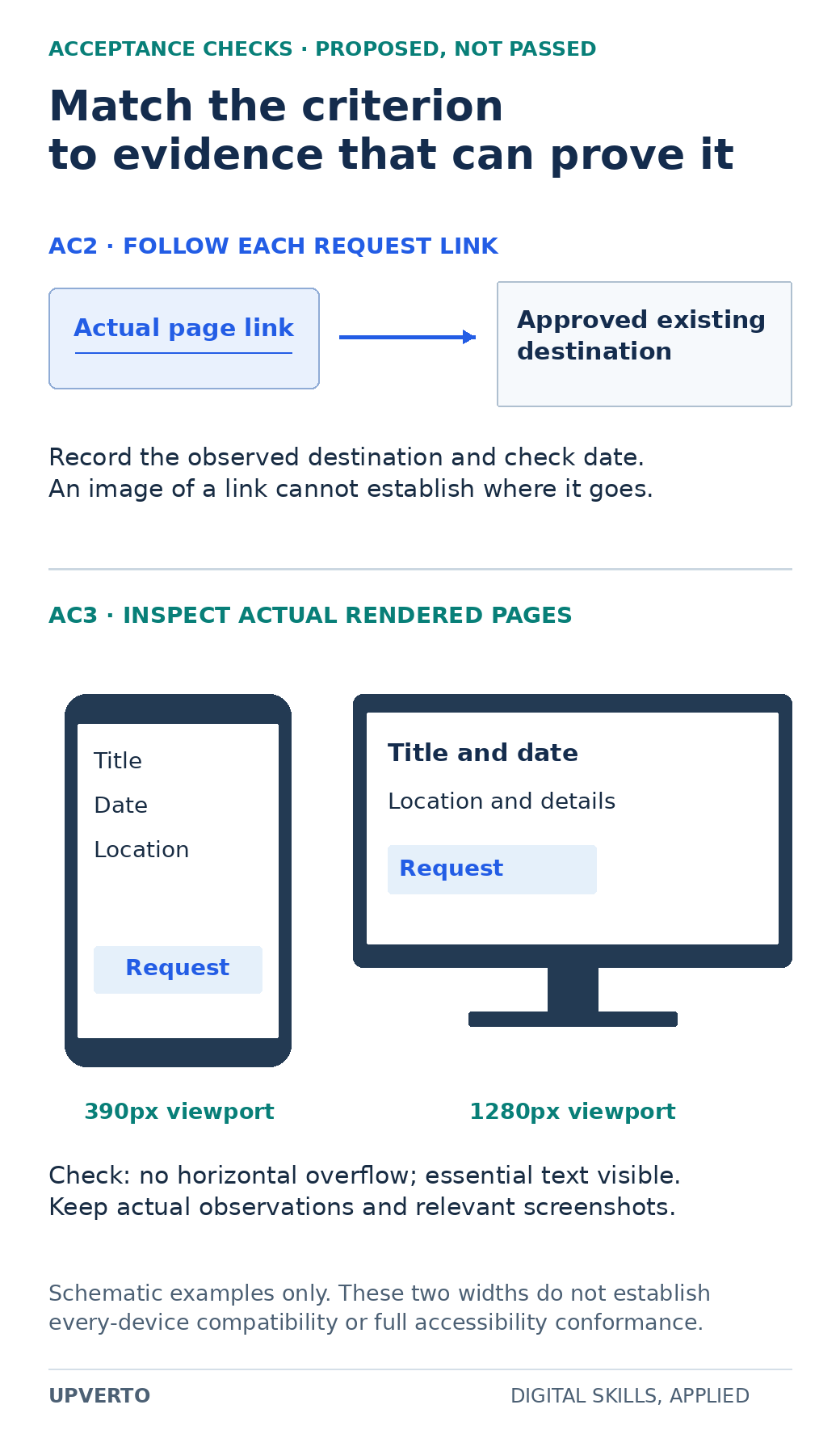
Read the text version: Choose observable evidence for link and layout criteria
- AC2
- Follow each request link from the actual page to the owner-approved existing destination. Keep the observed destination and check date.
- AC3
- Inspect actual rendered pages at the agreed 390px and 1280px viewport widths. Check for horizontal overflow and visible essential text. Keep real observations and relevant screenshots.
The graphic shows schematic surfaces and proposed checks, not passed results. Two widths do not establish universal compatibility or full accessibility conformance.
Worked example: a small acceptance register
| ID | Criterion | How to check | Evidence to keep |
|---|---|---|---|
| AC1 | All three named pages contain the approved title, date and location | Compare each page with the approved copy version | Page checklist and copy reference |
| AC2 | Each request link reaches the approved existing destination | Follow the actual link from each page | Observed destination and check date |
| AC3 | At the agreed 390px and 1280px viewport widths, the page has no horizontal overflow and essential text remains visible | Inspect the rendered page at both widths | Actual render observations and relevant screenshots |
| AC4 | Any missing or conflicting supplied fact is returned to the owner before approval | Review the issue log and resolved content | Question, owner response and final version |
These criteria are proposed examples, not passed checks. The two viewport widths are explicit scope choices for the fictional project; they do not prove compatibility with every device or full accessibility conformance. A real brief should choose appropriate coverage for the actual use and responsibility.
Notice that AC2 asks someone to follow the link. A screenshot of blue underlined text cannot establish its destination. AC3 asks for actual rendered inspection. Source markup alone cannot establish that there is no visual overflow. Match each criterion with evidence that can genuinely support it.
Distinguish defects, missing inputs and changed scope
If a page contains the wrong date compared with the approved copy, that is a mismatch to fix. If the owner has not supplied the date, that is a missing input. If the owner asks for an additional event page after the three-page scope is agreed, that is a possible scope change. These situations need different responses.
Use estimate freelance project scope when estimating the work and its uncertainties. Do not use a revision allowance to hide unlimited new deliverables. A change record should describe the request, its effect on effort and timing, and the decision by the authorised person.
A clear brief can still evolve. Update the controlled version when a change is agreed, then adjust the acceptance register. Otherwise the team may build to one set of requirements while the reviewer checks another.
Copy the practical project-brief template
Use these headings: purpose; intended user or buyer; deliverables; supplied inputs; assumptions; constraints; exclusions; dependencies; acceptance criteria; reviewer and approval owner; review process; schedule conditions; handover; and change process. Add a short unresolved-questions table with an owner and required decision date.
- Can a person unfamiliar with the discussion identify the finished outputs?
- Does each criterion describe an observable result or condition?
- Is the checking method capable of proving that result?
- Are supplied facts and assets linked to an approved version?
- Are missing inputs and exclusions visible?
- Is one person or defined process responsible for accepting the work?
- Does a new request have a clear route for scope and schedule review?
For the fictional project, the practical resource is the completed brief and four-row acceptance register above. Copy them into a document and adapt the values to a real assignment. Remove any criterion you cannot responsibly verify, or arrange appropriate support before promising it.
Use the brief during delivery and handover
At the start, confirm the inputs and unresolved decisions. During work, use the criteria to guide checks and identify changes. At review, record pass, fail or unresolved beside each criterion with the actual evidence. Do not mark a planned check as passed because the implementation looks plausible.
Then use the client onboarding checklist to organise the access, contacts and working arrangements around the brief. At handover, provide the accepted version, relevant checks and maintenance responsibilities. The brief remains useful because it connects the original purpose to the specific work that was delivered.
Frequently asked questions
Is a project brief the same as a contract?
A brief describes the work and completion expectations. Legal and commercial terms may be addressed elsewhere or incorporated into an agreement. This practical template does not replace context-specific legal documentation.
How detailed should acceptance criteria be?
Detailed enough that the involved people can check the same result, but focused on the agreed outcome rather than unnecessary implementation instructions. Include the conditions that materially affect whether the work is complete.
Can “looks professional” be an acceptance criterion?
It is too subjective by itself. Clarify the relevant design reference, content, layout and review process, then add observable checks. Some judgment may remain, but the decision should not depend on an undefined phrase alone.
What if a required fact is missing from the client’s input?
Record the question and responsible owner. Do not invent the fact to complete the page. Update the schedule or deliverable status if the missing input blocks work, and preserve the final approved answer.
Do two viewport checks prove the page works everywhere?
No. They verify only the agreed conditions actually inspected. Choose appropriate coverage for the project and state its limits. Do not turn a small test set into a universal compatibility or accessibility claim.
How should a new request affect the brief?
Assess whether it changes deliverables, effort, dependencies or timing. Obtain the appropriate decision, update the controlled brief and criteria, and make sure the reviewer uses the same version as the person doing the work.