
If you are studying in class 12, have never written a program and understand some explanations better in Urdu, you do not need to begin by training an AI model. Start by learning how to give a computer a small instruction, observe the result and explain what changed.
That foundation matters whether your eventual goal is a personal study tool, software for a family business or a product other people might use. This guide gives you a manageable starting route. It does not promise that a particular number of lessons will make you an AI engineer.
Separate the first three learning goals
“Learn AI” can hide several different tasks. Using an AI application, writing software and understanding how models learn are related, but each requires different practice.
For your first stage, choose these goals:
- Operate your learning environment: create a folder, save a file, find it again and run a small program.
- Understand basic programming: follow values through instructions and explain a simple decision.
- Recognise an AI question: identify where an uncertain suggestion might be useful and where a fixed rule is sufficient.
You can explore AI ideas alongside programming. You do not need to postpone every interesting topic until you have finished all mathematics. However, when a lesson introduces an unfamiliar calculation, pause and work a small example rather than memorising its name.
Keep your first project local and use invented data. Uploading real student records or customer messages is unnecessary for learning basic input and output.
Learn the computer habits before adding more tools
Create one practice folder with a name you recognise, such as learning-practice. Inside it, keep the program, a short notes file and a separate copy of the last version that worked. Learn the difference between saving a file and running it: saving preserves your text; running asks the computer to execute instructions.
If a lesson says to open a terminal, understand that this is a text-based way to give commands to the computer. Read a command before running it. Do not paste unfamiliar installation or deletion commands simply because a chatbot supplied them.
A phone can help you read, watch, sketch and write explanations. Many programming workflows are easier with a keyboard and a computer where you can manage files. If your access is shared, prepare your next exercise on paper and use the available computer time for running and checking it. Do not turn a hardware constraint into a reason to buy equipment before you know what your next exercise requires.
Use English and Urdu for different parts of understanding
You can understand an idea in Urdu while retaining the English terms that appear in code and documentation. There is no need to translate every technical word into an unfamiliar formal equivalent.
Make a three-part vocabulary note:
- Term:
input. - Your explanation: information given to a program, written in the language that makes sense to you.
- Example: the number of pages you plan to revise today.
You might explain the idea aloud in Urdu, then write a short English sentence: “The input is 20 pages.” The purpose is to connect the word, the meaning and an observable example.
Keep keywords such as if, print and return exactly as the programming language requires. Translate the explanation around the code, not the code itself. If you use an AI tool for translation, compare the explanation against what the example actually does. A fluent translation can still misdescribe a technical operation.
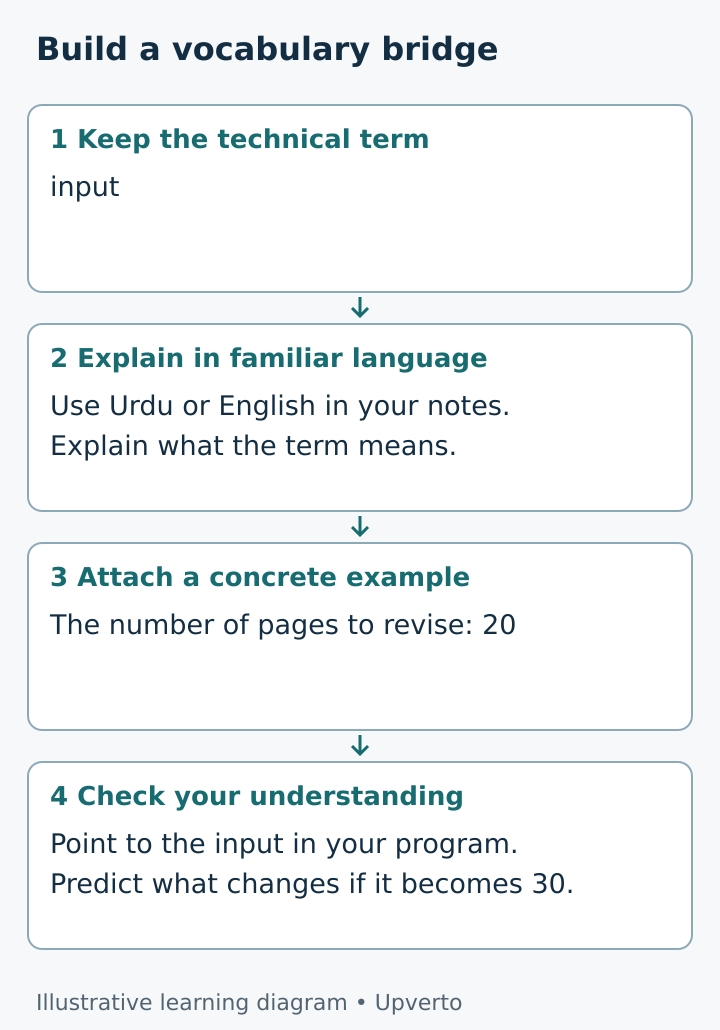
Figure 1. Use your familiar language to explain meaning while keeping the technical term connected to a concrete example.
Build a small foundation in an order you can test
Begin with values: a number, a piece of text and a true-or-false result. Then learn how a name refers to a value, how arithmetic changes a number and how a condition chooses between outcomes.
Next, meet a list, which groups values, and a loop, which repeats work. A function packages a small task so that you can call it with an input. These ideas support ordinary software as well as later AI projects. Python’s official tutorial describes conditions, loops and functions, although a complete beginner may need a gentler explanation alongside it. Python control-flow tutorial.
Give each concept a visible check. For a condition, try one value on either side of its boundary. For a list, try one item and then no items. For a function, change its input and predict its result before running it.
You do not need to learn several programming languages at once. Follow one coherent beginner path long enough to make and explain a small change. Switching tools whenever an exercise becomes difficult can hide the exact concept you need to practise.
Worked example a revision counter
Consider Hamza, a fictional class 12 student who wants to know how many pages remain in his own revision plan. This is a learning example, not a student outcome or a recommended study schedule.
He starts with two invented numbers:
planned_pages = 20
finished_pages = 7
remaining_pages = planned_pages - finished_pages
print(remaining_pages)
Before running the program, he writes “13” in his notebook. After running it, he checks the output and explains which line performed the subtraction.
Next he changes finished_pages to 20. He expects zero. Then he tries 23 and gets minus three. The arithmetic worked, but his interpretation of “remaining pages” needs attention. Did he enter a wrong number, or did he revise extra material? The program cannot decide that without a rule.
For now, Hamza writes a requirement: “This exercise accepts completed pages from zero to the planned total.” He can later learn a condition that rejects values outside that range. He has found a reason to learn validation, which means checking whether an input meets the rules of the task.
Notice what he has not built: a study coach, a prediction of examination results or an AI system. He has built a tiny calculation he can inspect. That is enough for this exercise.
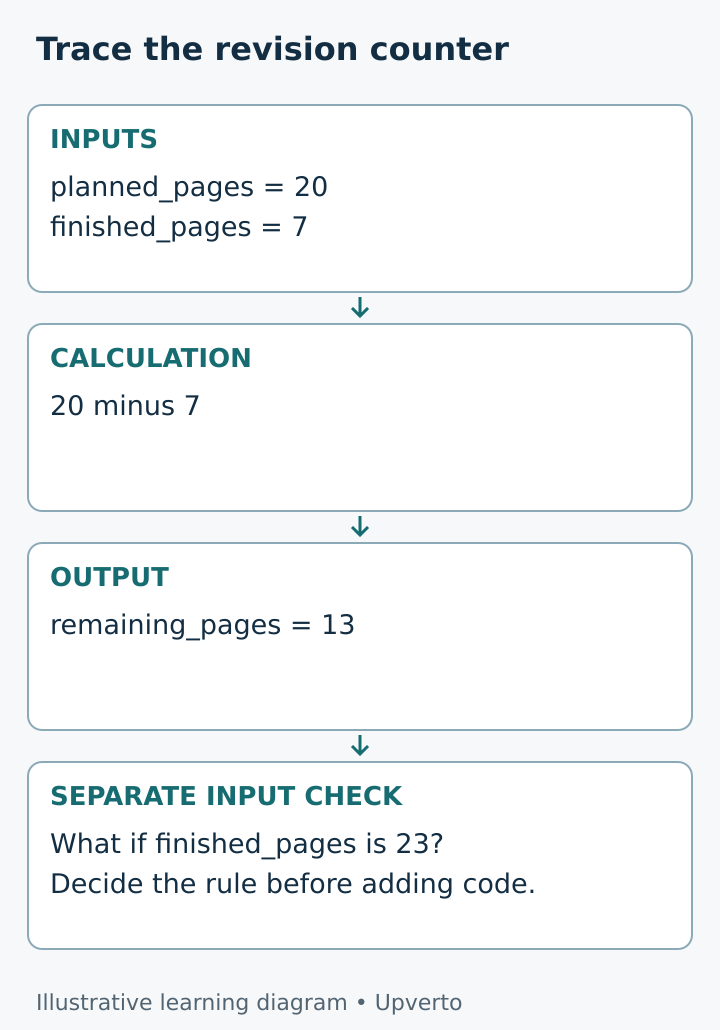
Figure 2. A correct calculation still needs a clear rule about acceptable inputs.
Add mathematics when it answers a question
For early programming, practise basic arithmetic and comparisons. When you reach data, learn what averages describe and what they can hide. When you meet model predictions, ask how errors are counted and what a probability means in that specific setting.
More advanced work can require algebra, probability, statistics and linear algebra. You can build towards them gradually, but avoid treating a copied formula as understanding. Work a tiny calculation by hand and connect each symbol to a value.
For example, if a toy classifier makes three mistakes in ten invented cases, you can count seven correct results. That exercise does not establish performance on real users. It teaches you to ask what was measured and which examples were included.
Keep a foundation worksheet
Use this before moving to a larger project:
- My current task is one sentence: ______.
- The program receives: ______.
- The result should be: ______.
- One English technical term I can explain in my own words is: ______.
- I changed this value or instruction: ______.
- I predicted: ______. I observed: ______.
- One input that needs a special rule is: ______.
- I can find and reopen my saved file: yes / not yet.
- My next unanswered question is: ______.
Keep “not yet” visible. It tells you where to spend the next session. A copied successful output is weaker evidence of understanding than a small change you can explain, even if you needed help finding it.
Your next step
Use one study session to run the revision counter or an equally small calculation. Change two inputs, record the outputs and explain the program without reading a tutorial aloud. Stop before adding a dashboard, account system or AI feature.
Then choose one missing foundation from your worksheet. Your next lesson should help answer that question. Progress here means clearer understanding and independently checked work, not reaching a job title on a deadline.
Frequently asked questions
Do I need fluent English before starting?
No. You can use Urdu explanations and your own notes while learning the English terms used by the tools. Practise reading small pieces of documentation rather than waiting until you feel fluent. Technical English will remain useful, so develop it alongside the subject.
Should I translate every programming term into Urdu?
No. Keep the original term beside a plain explanation and an example. If a translation makes the concept harder to recognise in code, use the English term and explain its meaning in familiar language.
Can I start if I have never studied computer science?
Yes, but begin with files, instructions, inputs and outputs rather than assuming those habits are already familiar. A lesson that feels too fast may require a smaller prerequisite exercise, not a different career ambition.
Must I buy access to an AI model for this first exercise?
No. The revision counter uses ordinary Python and no AI service. Later projects may have different software, access or cost requirements; check those individually before committing money.
How do I know when to move beyond the foundations?
Try changing a small program, predicting the result and explaining one failure. You do not need perfect recall, but you should be able to use references without surrendering every decision to them. If you cannot explain the change, practise that part again.
Will this route make me ready to sell a product?
This first stage does not establish commercial readiness. A product also needs evidence that it solves a problem, reliable operation, appropriate data handling and support. Foundations help you begin investigating those responsibilities.