Starting on Upwork means preparing a credible account, matching evidence to a real request and understanding the commitment before you submit or accept anything. A completed profile is a starting point, not a guarantee of interviews or work.
This guide uses official Upwork documentation checked on 27 October 2026. Interface labels and policies can change, so verify the current pages and your actual account. For the broader client strategy, use how to find freelance clients.
In this guide
Read the text version: Prepare truthful content for Upwork’s current main profile
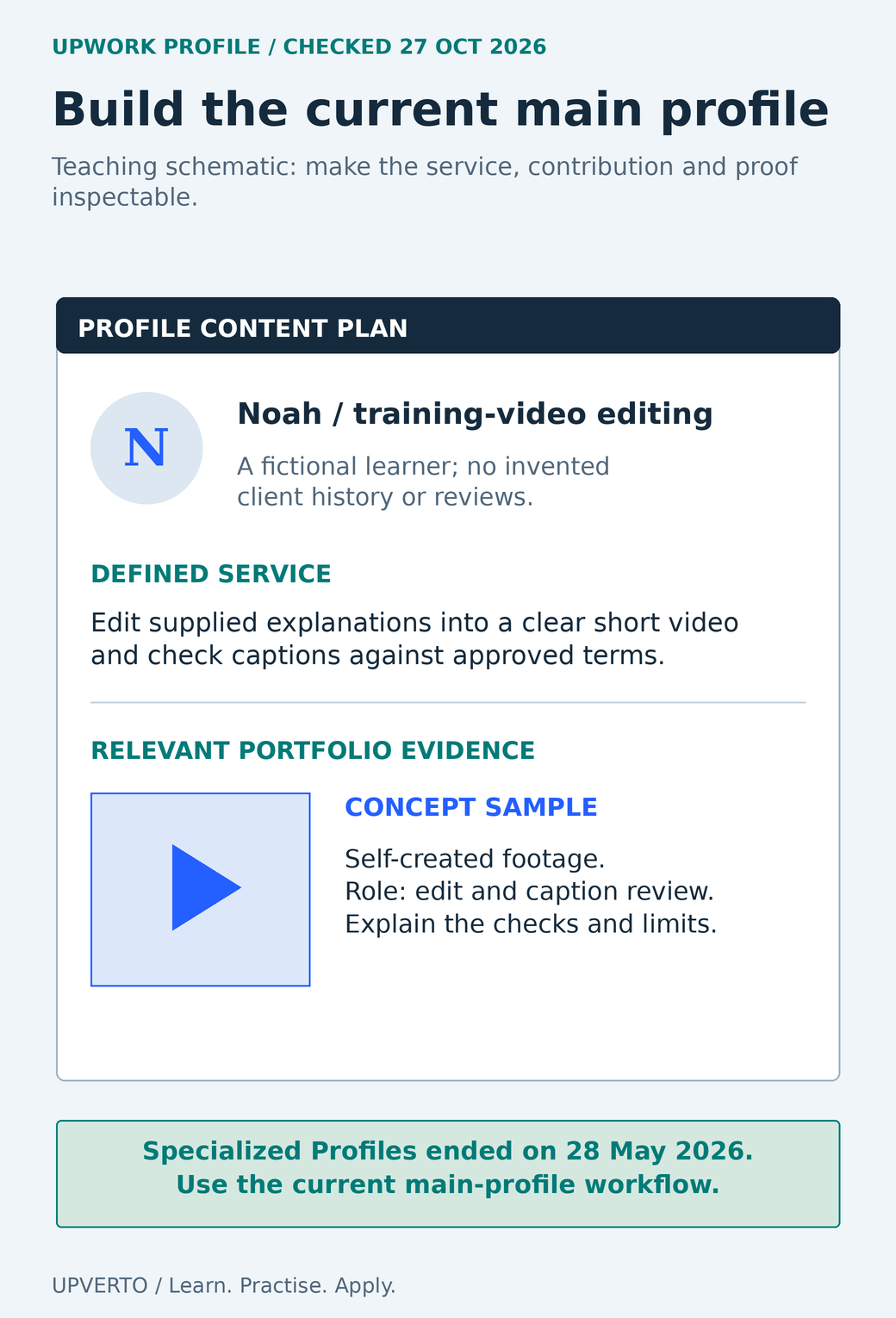
The teaching schematic uses fictional learner Noah. It defines the task as editing supplied explanations into a short video and checking captions against approved terms. Its concept sample uses self-created footage and identifies the contribution as editing and caption review, with actual checks and limitations to be explained. No client history, review or result is invented. Upwork’s official guidance checked on 27 October 2026 states that Specialized Profiles ended on 28 May 2026; use the current main-profile workflow and verify the live provider guidance.
Check eligibility and the account flow first
Upwork’s eligibility guidance requires eighteen years of age or the age of majority in your country, whichever is older. Location restrictions and work-authorisation responsibilities also apply. Check the official current list rather than assuming that being able to open the website means you may use the service.
Use accurate identity and experience information. Complete verification only through the official account process. Do not buy an account, invent a location or send credentials to a person who claims they can approve you. A client message is not a substitute for the provider’s verification flow.
Before investing in proposals, confirm that the account can support the work and payment arrangements you need. Keep your contact and recovery details current, and read any account-specific notices. If an eligibility or verification issue remains unresolved, address it through official support rather than attempting to bypass it.
Build the main profile around a defined task
Use a title and introduction that describe the work you can demonstrate. “Short training-video editing and checked captions” is a clearer starting point than an unsupported expert label across several unrelated services. Explain the inputs you work with, the output you produce and a useful boundary.
Current guidance matters here: Upwork removed Specialized Profiles on 28 May 2026. Its current system uses the main profile and surfaces relevant material. Do not follow an older tutorial that instructs you to create a new Specialized Profile.
The official portfolio guidance provides fields for project context, role, description, skills and media. Use them to make your contribution inspectable. A personal or concept project can be relevant if it is labelled accurately. Do not invent past contracts, reviews, credentials or results to fill an empty section.
Use the freelance portfolio review checklist before relying on a sample. Open the actual material, verify permission and check whether it demonstrates the task named in the profile.
Understand Connects and the displayed service fee
Purchased Connects currently cost US$0.15 each. The number needed for a proposal varies by job and can change while the post is open. Free Connects and promotional offers have eligibility conditions; do not budget on the assumption that every freelancer receives the same monthly allocation.
Optional boosting and other advertising features can spend additional Connects. They are separate decisions, not a requirement to prove that you are serious. Set an affordable limit and record actual spend.
The freelancer service fee currently ranges from 0% to 15% per contract, with the applicable fee shown in the proposal or offer workflow. Inspect that percentage before agreeing terms. Consider any other applicable transaction, currency and tax effects separately; the amount after a platform fee is not automatically business profit.
Prepare the proposal before pressing Send
Read the request for outputs, source material, constraints and missing information. Choose a relevant sample, identify a sensible approach and ask only questions that affect fit or scope. Use write freelance proposal for the general writing method.
The current Upwork submission guide covers terms, duration, the cover letter or applicable interview flow, screening questions and work samples or profile highlights. Check the actual fields shown for that job. Review the amount, assumptions and sample before submission, and treat an optional boost as a separate cost decision.
Keep pre-contract discussion in the permitted Upwork tools. The contact-information policy describes narrow exceptions for certain information needs, but these do not generally permit moving job or payment discussion off-platform before a contract. Do not add an external email or meeting link simply because an old proposal template includes one.
Read the text version: Build a specific proposal from the request and a relevant sample
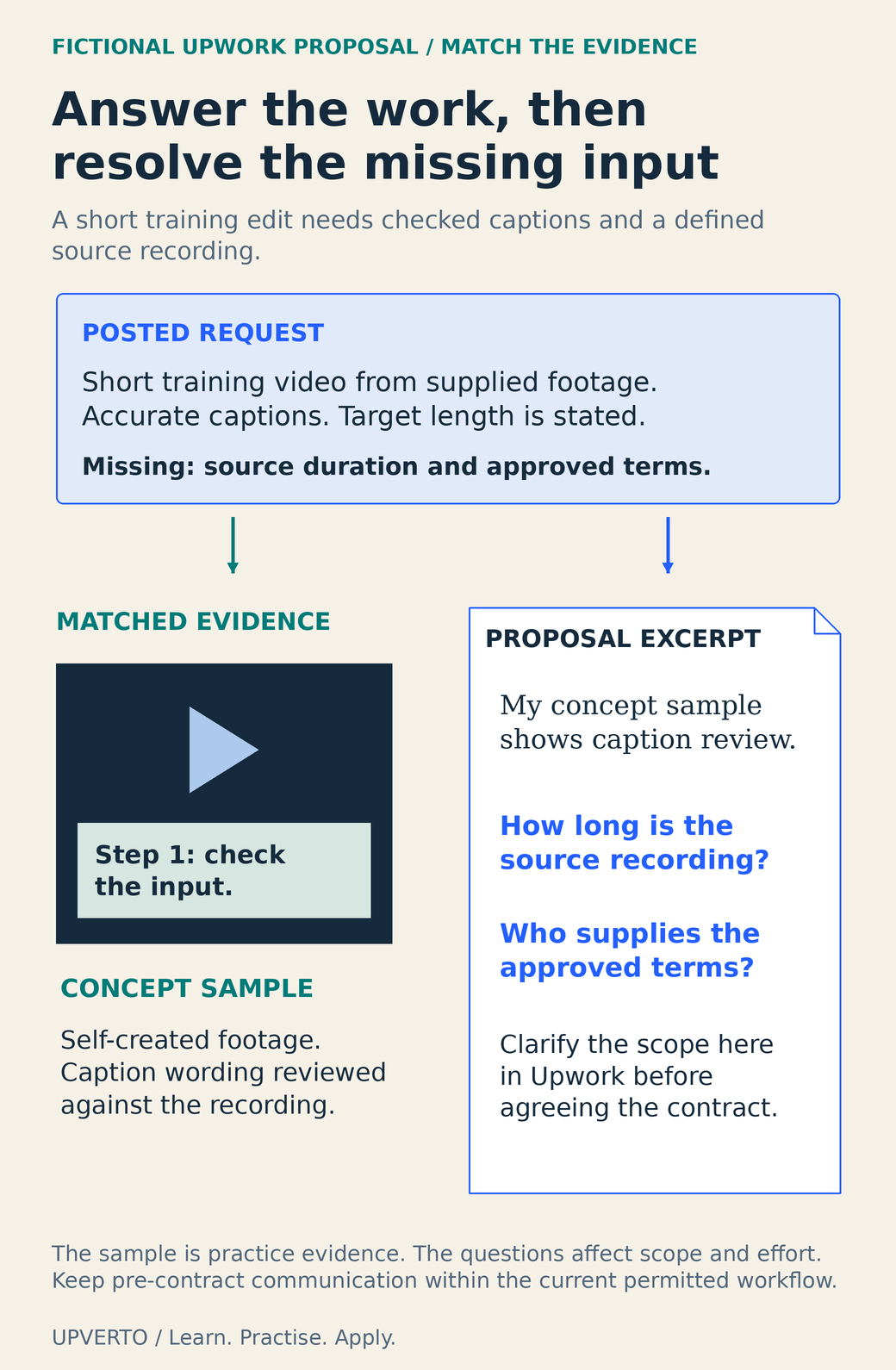
The fictional request asks for a short training edit from supplied footage, with accurate captions and a stated target length. Source duration and approved technical terms remain missing. A relevant concept sample uses self-created footage and demonstrates caption wording reviewed against the recording. The proposal explains that context and asks: how long is the source recording, and who supplies the approved terms? Clarify scope in Upwork before agreeing the contract. This is a preparation example, not a submitted bid, client result or guaranteed response. Follow current pre-contract communication rules and inspect the actual contract before beginning work.
Worked example: a relevant training-video request
Fictional request: a client wants a short training video from supplied footage, with accurate captions. The target length is stated, but the source duration and approved technical terms are missing. The learner has a clearly labelled concept sample using self-created footage.
Hello, your request describes a short training edit with checked captions. My attached concept sample shows how I organise a supplied explanation and review caption wording; it is practice work, not a client result.
I would first confirm the source footage and approved terms, then create the agreed edit, review the captions against the recording and inspect the complete export. How long is the source recording, and will you provide the approved spelling of names and technical terms?
If the scope fits, we can clarify the deliverables and review process here in Upwork before agreeing the contract.
The example identifies the task, explains the evidence and asks questions that affect effort. It does not claim a success rate, offer unlimited free production or move the conversation to another channel. A real proposal must also contain appropriate actual terms in the relevant fields; this teaching text is not a submitted bid.
If the discussion progresses, use freelance discovery call questions to resolve the brief. Before starting work, inspect the actual contract, payment arrangement and applicable protection conditions. Upwork’s protection programmes have requirements and exclusions; the existence of a job post or message does not by itself establish protected work.
Use the profile-and-proposal preparation checklist
| Stage | Evidence to check |
|---|---|
| Account | Eligibility, truthful information and official verification notices |
| Main profile | Defined service, accurate experience and relevant samples |
| Job fit | Required output, inputs, constraints and unresolved scope questions |
| Cost decision | Connects required, optional spend and displayed service fee |
| Proposal | Relevant explanation, screening answers, permitted sample and realistic terms |
| Before work | Actual contract, payment conditions, approved brief and review process |
Keep a private record of the jobs considered, reasons for fit or rejection, actual costs and responses. Do not invent a conversion target or interpret every silence as a reason to spend more. Review the quality of the match and the evidence before changing the offer.
Frequently asked questions
Do I need Specialized Profiles to offer different services?
No. Upwork’s official update says Specialized Profiles were removed on 28 May 2026. Use the current main-profile system and keep the actual service evidence clear. Verify current documentation when following a tutorial recorded before that change.
Does every freelancer receive free monthly Connects?
No universal allocation should be assumed. Upwork describes eligibility-based offers and rewards, and the account’s Connects history shows what applies. Purchased Connects currently cost US$0.15 each; check the current job requirement and any optional spend before submitting.
Is Upwork’s freelancer fee always ten percent?
No. The official page checked for this guide gives a 0%–15% range per contract and shows the applicable fee during the proposal or offer process. Inspect your actual terms instead of relying on an older flat-fee explanation.
Can I use a concept project as a work sample?
Yes, when it is relevant, permitted and clearly labelled. Explain the brief, your role and checks. Do not imply that it was an Upwork contract or attach invented reviews, earnings or client outcomes to make the profile appear established.
Can I send a client my email before a contract?
Follow Upwork’s current contact-information policy. Pre-contract communication generally stays on Upwork, with narrowly described exceptions for certain information needs. Do not treat an exception as permission to move job or payment discussions outside the platform.
Should I submit to every job in my category?
Choose requests that match your demonstrated capability and capacity. Read the inputs, constraints and costs before spending Connects. A relevant sample and a specific question are more useful than a large number of generic submissions, and no submission volume guarantees work.
Sources and review notes
Primary sources checked on 27 October 2026 (UTC). Check the current provider pages before relying on a changing feature, policy or price. Worked examples and worksheets are original teaching material; fictional examples are not evidence of client results.
- Upwork: Who is eligible to join and use Upwork?
- Upwork: Update to Specialized Profiles
- Upwork: How to enhance your freelancer profile
- Upwork: Understanding and using Connects
- Upwork: Learn about the Freelancer Service Fee
- Upwork: How to submit a proposal
- Upwork: How to keep your contact information safe
- Upwork: How Upwork protects your payments