The right portfolio format makes relevant work easy for the intended reader to inspect. A website, PDF and platform profile each support different access and maintenance needs. You do not need all three before showing a clear, honest sample.
Start with the evidence itself: what the project was, what you contributed and what someone can check. The guide to build freelance portfolio without clients explains how to create that evidence. This guide helps you package it without turning presentation work into an endless website project.

In this guide
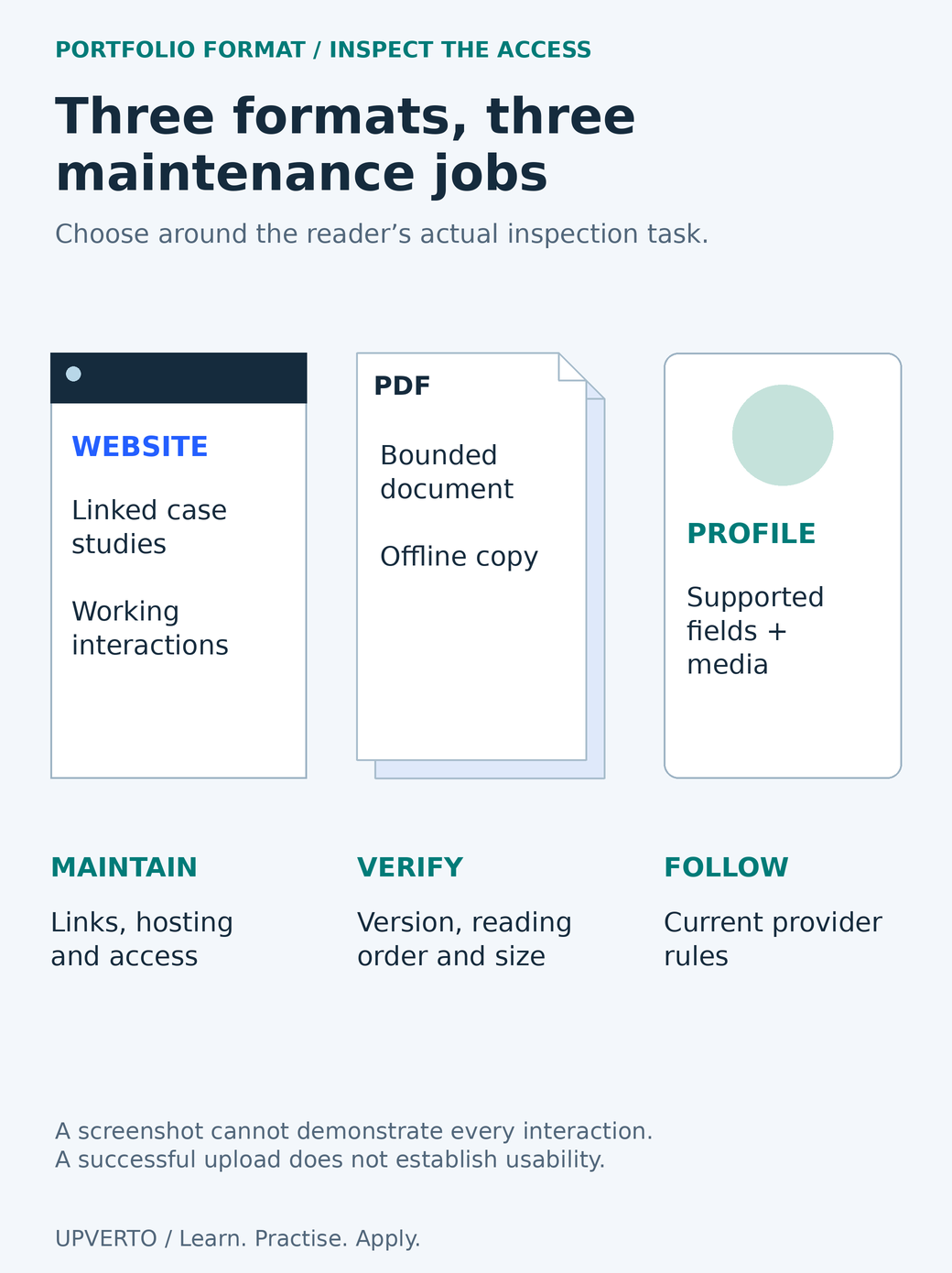
Read the text version: Compare the access responsibilities of portfolio formats
A website can hold linked case studies and working interactions, with responsibilities for links, hosting and access. A PDF is a bounded document that can be read offline, requiring checks of version, reading order and file size. A platform profile uses provider-supported fields and media, so current provider rules apply. Choose around the reader’s inspection task. A screenshot does not demonstrate every interaction, and successful uploading does not establish usability or accessibility.
Define the reader and the inspection task
Imagine a specific recipient. They may be reviewing a marketplace proposal, opening an email on a phone or discussing a document during a meeting. Ask what they need to see first and what action follows. A beautiful format is unhelpful if it requires an unexpected login or hides the sample behind several unrelated pages.
Choose the smallest complete presentation that supports the decision. For a document-formatting service, a concise PDF with readable samples and a contribution note may be useful. For an interactive website, a live demonstration and code context may be necessary. A static screenshot cannot prove that a form or keyboard interaction works.
Record confidentiality and permission constraints before selecting the format. A public website is inappropriate for material you may share only with a named reviewer. A downloadable PDF can be forwarded. A platform profile is governed by that platform’s rules and may not support every kind of media or contact route.
Compare the three formats by practical tradeoffs
| Format | Useful when | Responsibilities and limits |
|---|---|---|
| Website | You need linked case studies, interactive examples or a public destination you maintain. | Hosting, updates, accessibility, working links and a safe contact route need attention. |
| You need a bounded document that can be attached, downloaded or reviewed offline. | File size, version control, readable layout, structure and recipient compatibility need checking. | |
| Platform profile | The client is already reviewing people inside that platform. | Fields, media, contact rules and account access depend on the provider. |
These are capabilities to investigate, not a ranking. A simple site can be excellent; an elaborate site can obscure the work. A PDF can be accessible or difficult to use. A platform profile can contain relevant proof or an unsupported list of skills.
Maintenance is part of the choice. If a project changes, which copies must you update? A website link can point to an updated case study, while an emailed PDF remains the old version. Keep a date or version where it helps recipients distinguish copies, and retain a master source for the material.
Make the content usable in its chosen format
For a website, use a logical heading structure, descriptive links and appropriate text alternatives. W3C’s structure guidance explains how semantic organisation supports navigation. The W3C images tutorial distinguishes informative image descriptions from decoration. A portfolio sample needs enough explanation for a reader who cannot obtain its meaning from the image alone.
For a PDF, check more than the page appearance. Selectable text, reading order, tags and meaningful links can affect use. Adobe’s PDF accessibility guidance describes a verification workflow. Export settings and source-document structure matter, and an automatic check does not remove the need to inspect the result.
For a platform profile, work within the available fields and provide clear descriptions of each sample. Confirm the current media and contact policies in official documentation. This format comparison does not replace platform-specific instructions or imply that an external contact button is permitted everywhere.
Worked example: one body of evidence, two delivery contexts
Fictional example: Noah offers short information-document formatting. The portfolio contains a two-page fictional community guide, an annotated revision and a short note describing the brief, role and checks. There are no client testimonials or measured business results.
For a direct enquiry that asks for an attachment, Noah prepares a compact PDF. The first page states the service and project context; the next pages show readable extracts and the revision explanation. The file is named noah-document-sample-v02.pdf. Noah opens the actual attachment on the recipient’s likely device type, checks links and confirms it contains no private notes.
For a marketplace proposal, Noah uses the platform’s supported portfolio fields and attaches the relevant sample through the permitted route. The same underlying work remains labelled as fictional. Noah does not invent a separate client story or remove the concept label to make the platform version appear more experienced.
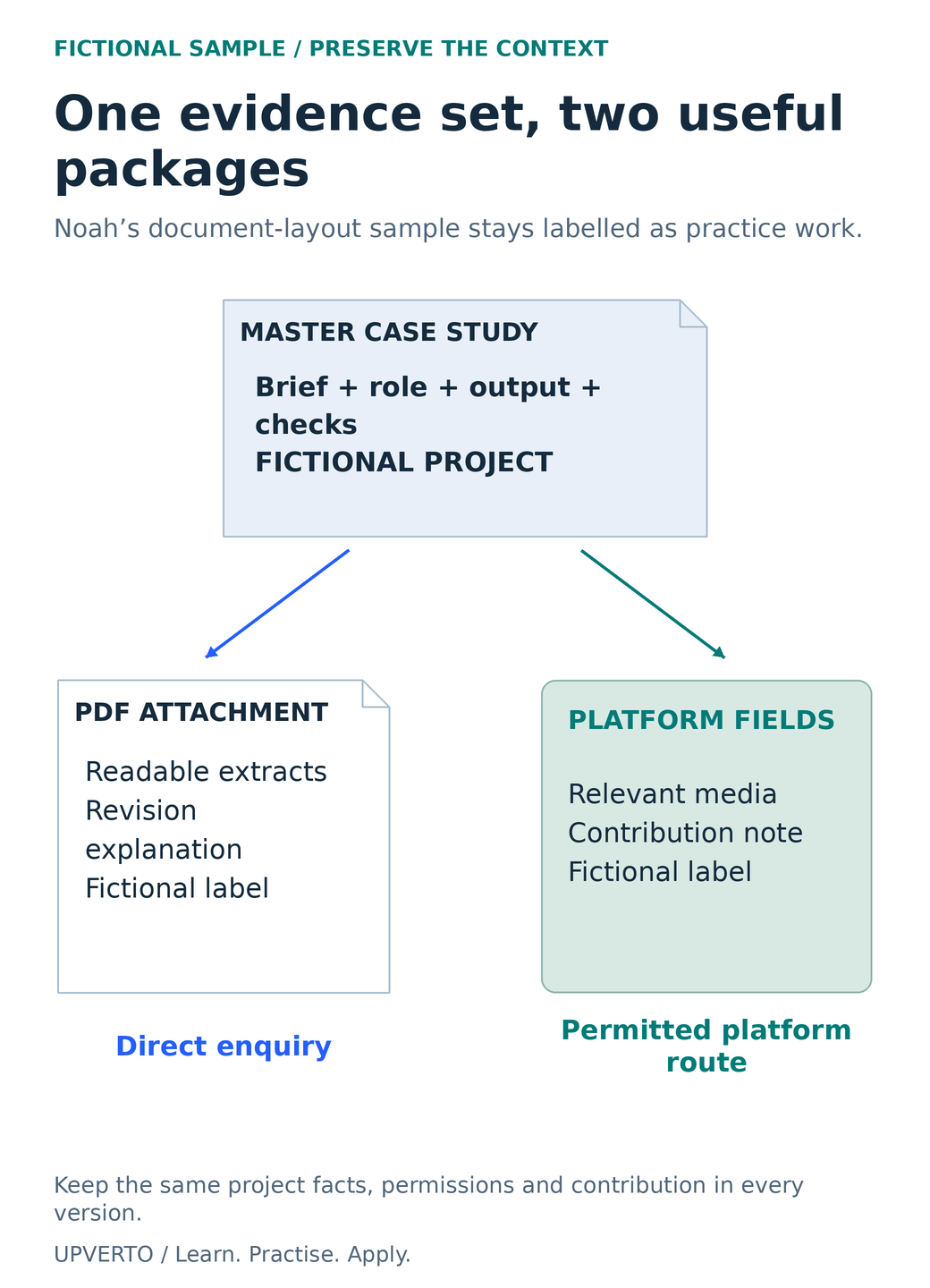
Read the text version: Package one honest case study for two contexts
Noah’s fictional document-layout evidence contains the brief, role, output and checks. For a direct enquiry requesting an attachment, it becomes a PDF with readable extracts, a revision explanation and the fictional-project label. For a marketplace, it is adapted into supported fields and media with the same contribution note and label. Keep facts, permissions and project context consistent in both versions. The diagram does not imply that every platform permits external contact or the same attachment types.
A website can follow later if a maintained public destination becomes useful. The decision is based on access and evidence, not the assumption that a custom domain creates professional competence.
Use the format-selection and access checklist
| Question | Record the answer |
|---|---|
| Where will the reader encounter the work? | Platform, direct enquiry, meeting or public search |
| What must they inspect? | Image, readable document, working interaction, code or process record |
| What access can they use? | Device, connection, download permission and login constraints |
| What may be shared? | Public, named-recipient only or withheld material |
| Who will maintain it? | Owner, source file, update routine and current version |
| What did the access test show? | Actual opening, navigation, links and contact-route results |
Ask a reviewer to perform a task rather than rate the design: find a relevant sample, identify your contribution and locate the allowed next action. Watch where they hesitate and record the problem. A single informal review is not a full usability study, but it can reveal a broken link or missing explanation.
Use the freelance portfolio review checklist to inspect the complete presentation. Then compare freelance marketplaces vs direct clients to choose where that evidence belongs. Keep the core case study consistent across formats so that title, scope and claimed contribution do not drift.
Frequently asked questions
Do I need a portfolio website before contacting anyone?
No universal rule requires a website. You need relevant, honest work that the intended recipient can open and inspect. A suitable PDF or platform profile may meet that need. Build a website when its access, interaction or maintenance benefits justify the additional work.
Can a PDF demonstrate a website project?
It can explain the brief, screenshots and your decisions, but it cannot demonstrate every interaction. Where permission and hosting allow, include a working example or another inspectable record. Describe what is simulated, unavailable or outside the sample rather than implying a screenshot proves functionality.
Should I put the same projects in every format?
You can reuse a consistent source case study while selecting the most relevant material for each context. Preserve labels, permissions and contribution details. Avoid maintaining unnecessary copies that become outdated or contradict one another.
How large should a portfolio PDF be?
There is no universal file-size target. It must be readable and practical for the recipient’s connection, device and submission limits. Compress images without making the work impossible to inspect, and test the actual final file rather than relying on the editor preview.
Is a public link always easier than an attachment?
It may be easier to update, but it can create login, permission or confidentiality problems. An attachment can be useful offline but can also be forwarded and become outdated. Choose deliberately and test the actual access path.
Does an accessibility checker prove my portfolio is accessible?
No. Automated checks can identify some issues, while reading order, meaningful descriptions and real interaction need further review. Use appropriate primary guidance and test relevant tasks. Describe the checks you performed without claiming a comprehensive audit you did not conduct.
Sources and review notes
Primary sources checked on 27 October 2026 (UTC). Check the current provider pages before relying on a changing feature, policy or price. Worked examples and worksheets are original teaching material; fictional examples are not evidence of client results.