Before a specialist tool becomes useful, you need to find your work, save it safely and send the right version to the right person. These computer and internet basics are part of design, editing, coding and administrative work alike.
You do not need to become a system administrator first. Start with a small file-handling exercise, then add specialist skills around it. The guide to how to learn a digital skill explains the broader practice process. This guide focuses on the everyday operations that prevent a lesson or client task from getting stuck before the actual work begins.
In this guide
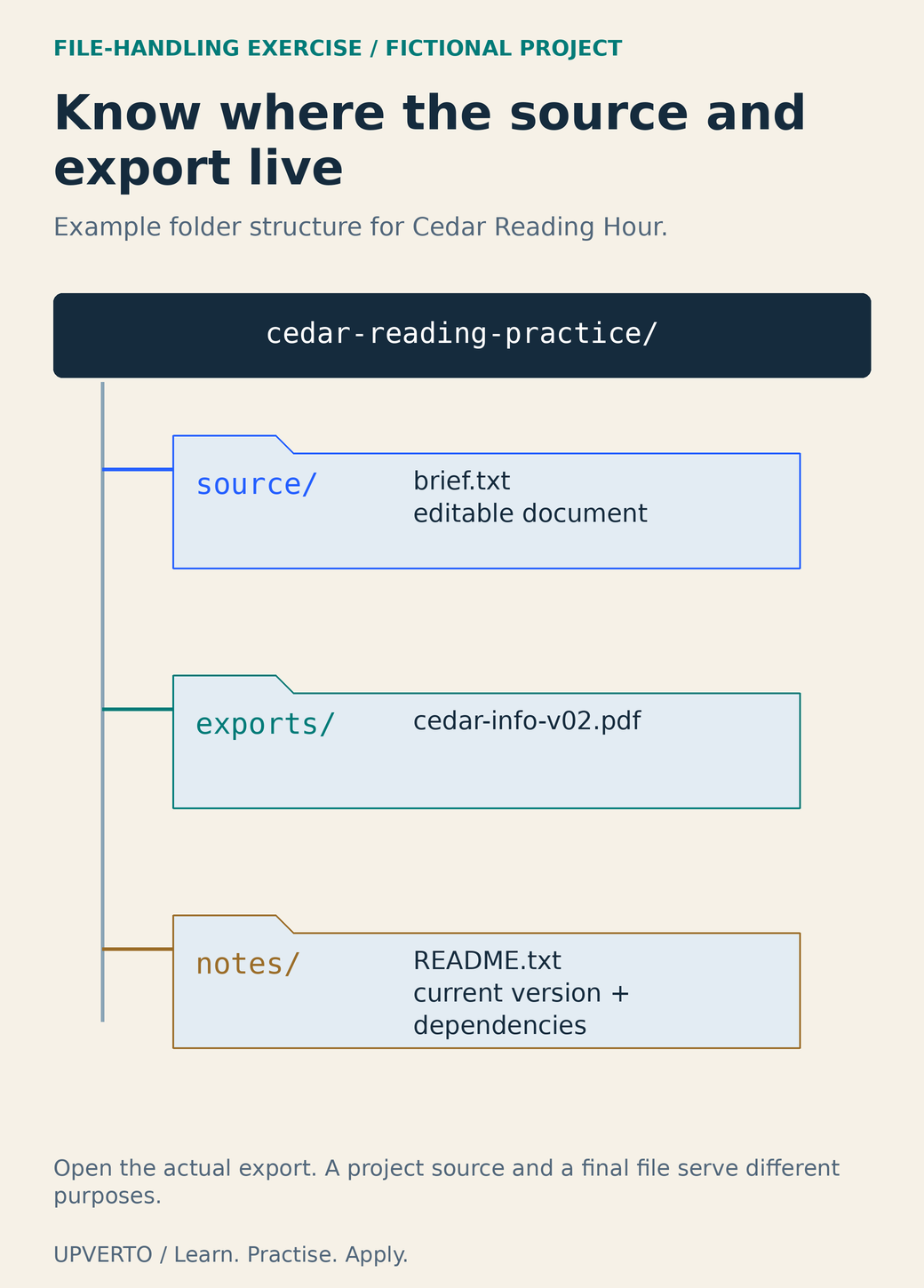
Read the text version: Inspect an example project folder
The fictional root folder is cedar-reading-practice. Its source folder holds brief.txt and the editable document. The exports folder holds the current cedar-info-v02.pdf. The notes folder holds README.txt, which identifies the current version and dependencies. This is an example convention, not a required universal structure. Open the actual export to inspect it. An editable source and a final export serve different purposes; keeping them in clearly named locations helps prevent sending the wrong file.
Know what you saved and where it lives
A filename identifies an item; a folder groups items; a path describes its location. A file extension such as .png, .pdf or .csv usually indicates a format, but renaming the extension does not convert the contents. Export or convert through a suitable application and reopen the result to check it.
Keep editable sources distinct from final exports. A design project may depend on linked images or fonts. A video project file may describe edits without containing the original footage. A PDF may be a final document without the same editing structure as the source. Ask what the recipient needs before assuming that one file replaces the others.
Use names that show the project, content and version, such as cedar-info-v02.pdf. Avoid a pile of files called final, final-new and final-really-new. A date can be useful when it is part of an agreed naming convention. Do not place passwords or sensitive personal details in filenames that will be widely shared.
If the idea of an online service is still new, start online work with no experience will help you choose a task small enough to practise these basics with confidence.
Use browsers and downloads deliberately
A browser tab is not necessarily a saved copy of the page or document. Bookmarks preserve a location, not a backup of its contents. Before closing a tool, check whether your changes are saved, whether the file is local or in an account and how to reopen it later.
Download software from the provider’s official site or an authorised store you have verified. Read the address rather than relying on an advertisement’s appearance. A familiar icon or an encrypted connection does not by itself establish that a site is the genuine provider. Avoid opening unexpected executables or enabling document features just because a message insists they are required.
For a normal document download, choose a known destination, identify the file and open it with the expected application. If the contents or file type differ from what you expected, pause. Keep your browser and applications updated through their supported mechanisms, and follow any device rules set by the organisation that owns the computer.
Protect access before you rely on it
Use a separate, strong password for each account and a reputable password manager where appropriate. CISA’s password guidance explains this approach, and its multifactor-authentication guidance explains adding another verification factor. These measures reduce avoidable risk; they do not make every message, download or login request trustworthy.
Keep recovery options current and store recovery codes securely. Never send someone a password or one-time login code as a way to “confirm” a work enquiry. If a collaborator needs access, use the service’s invitation or role system and grant only the access required for the task.
Shared devices need extra care. Check whether files remain in Downloads, whether the browser saved credentials and whether you are still signed into another service. Follow the owner’s rules. Private client materials may be unsuitable for a shared session even if the application technically runs.
Distinguish backup, synchronisation and sharing
Synchronisation keeps locations aligned; changes and deletions can propagate. A backup is a recoverable copy appropriate to the situation. Check the provider’s version history or recovery options, but do not assume they meet every retention need. Practise restoring a harmless file before you depend on recovery during a deadline.
Cloud placeholders can look like files without being available offline. Microsoft’s Files On-Demand guidance distinguishes online-only content from downloaded copies. Confirm the status of the actual file you need, especially before travel or unreliable connectivity.
Sharing creates an access decision. Microsoft’s OneDrive sharing guidance explains recipient and editing settings; other services have their own controls. Choose the intended people and the least permissive role that supports the review. A review normally needs viewing or commenting, not ownership or unrestricted editing. Test the intended recipient’s access without making private material public.
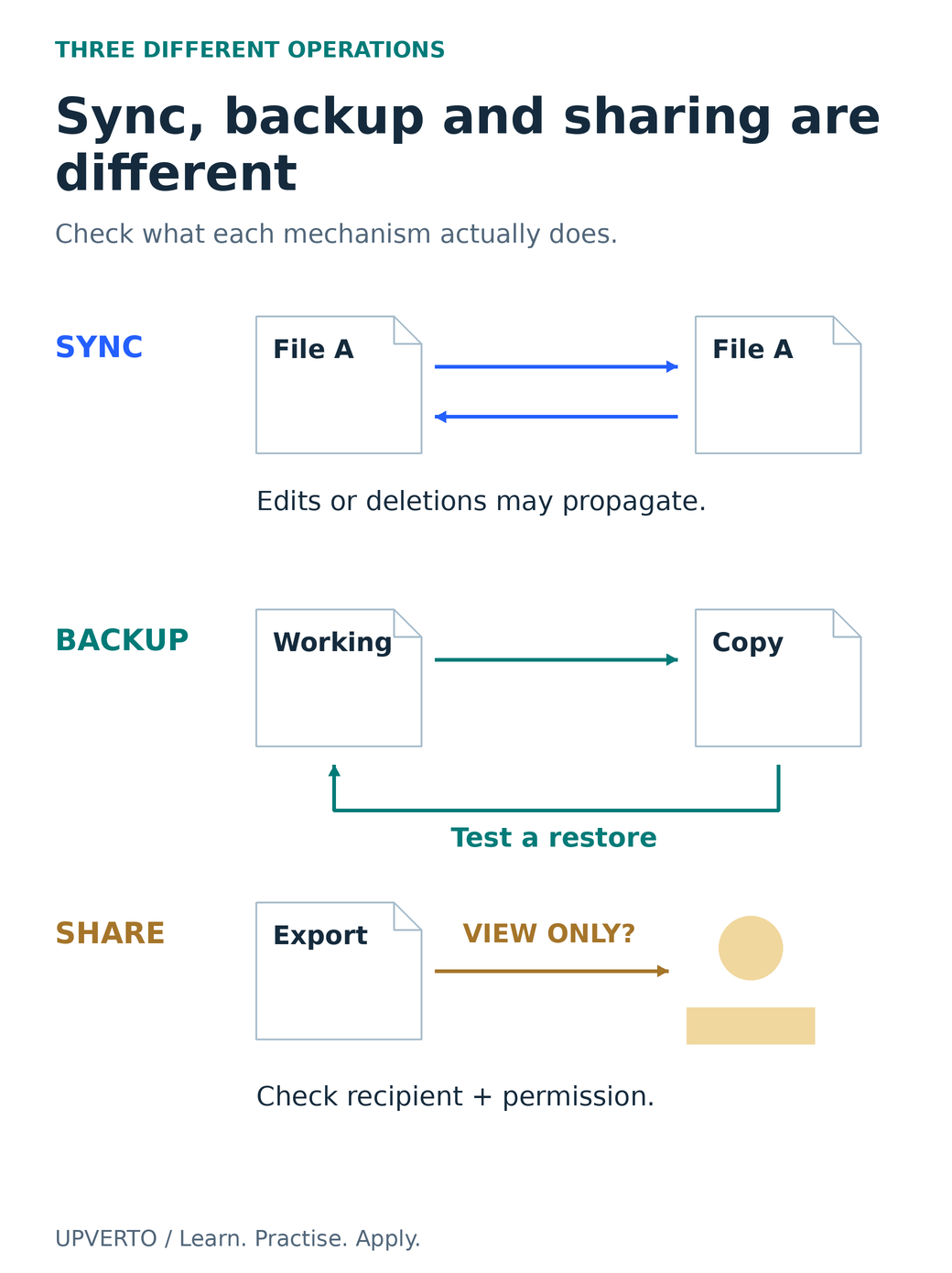
Read the text version: Distinguish synchronisation, backup and sharing
Synchronisation aligns locations; edits or deletions may propagate. Backup provides a recoverable copy appropriate to the situation; test restoration rather than assuming it works. Sharing grants access to a recipient; choose and verify the required view, comment or edit permission. These operations are different. A synchronised file is not automatically a sufficient backup, and a copied link is not evidence that access is limited to the intended person.
Complete the Cedar handover exercise
Fictional exercise: prepare a one-page information sheet for Cedar Reading Hour. Use only invented details: Saturday 11:00, Cedar Community Room and [email protected]. No real client data is needed.
- Create a cedar-reading-practice folder with source, exports and notes subfolders.
- Save the approved wording as source/brief.txt. Create the editable document in source using a format your application supports.
- Export exports/cedar-info-v01.pdf. Open the PDF outside the editor and compare every event detail with the brief.
- Write notes/README.txt identifying the final export, editable source, application and any dependencies.
- Copy the exercise to your backup location. Restore a harmless copy to a new temporary folder and confirm it opens.
- Prepare a view-only review link or a correctly named attachment. Check the intended recipient and file version before sending anything.
- Make an invented correction to the venue wording, save version two and update the README so there is one clearly identified current export.
The exercise is complete when you can find, reopen, check and recover the files and explain the sharing permission. A neatly named folder without a readable export or tested recovery is incomplete. The structure is an example, not a universal file convention.
Use a self-check before adding a specialist tool
| Can you demonstrate this? | Evidence to keep |
|---|---|
| Find the source and final export | A folder path and filenames you can reopen |
| Tell a format from a misleading name | An export opened in its intended application |
| Recover a working copy | A restored practice file, with the restore method noted |
| Share the intended access | A checked recipient and view/comment/edit decision |
| Resume after an interruption | A README identifying the current version and next action |
Repeat the operations that remain uncertain using harmless practice data. If your device or application prevents a required operation, consult learn digital skills phone or computer and test a supported setup. Once the basic workflow is reliable, practise skills beyond tutorials will help you use it for a new task rather than merely repeat a demonstration.
Frequently asked questions
Why is changing .jpg to .pdf not a conversion?
The extension is part of the name; the file contents still follow their original format. Use an application’s export or conversion function, then open the resulting file in an appropriate viewer. Renaming can confuse recipients and does not establish that the format is correct.
Is a cloud folder enough as a backup?
It depends on the service and your recovery needs. Synchronised deletions or edits can affect multiple copies. Check version history, retention and restore options, and practise recovery with a harmless file. Identify what would remain accessible if the account or connection were unavailable.
What should I include in a handover README?
Name the current final files, explain the editable source and application, note essential dependencies and state any agreed limitations. Include clear opening or review instructions where needed. Do not put passwords, private credentials or unnecessary personal information in the file.
Should reviewers receive editing access?
Give the access required for the agreed review. Viewing or commenting may be enough. Editing lets a person change the shared source and can create version confusion. Use the provider’s actual permission controls and check the intended recipient rather than assuming the copied link is private.
What if I cannot find a downloaded file?
Check the browser’s download record and the destination chosen during download. Search by the expected name or type in the appropriate location. Before downloading again, establish which copy is current so you do not create several versions with unclear differences.
Do I need command-line skills before learning design or editing?
Not for every beginner task. You first need reliable file, account, application and sharing habits. Command-line or system-administration skills become relevant when the specific workflow requires them; they should not replace practising the actual output you want to produce.
Sources and review notes
Primary sources checked on 27 October 2026 (UTC). Check the current provider pages before relying on a changing feature, policy or price. Worked examples and worksheets are original teaching material; fictional examples are not evidence of client results.