Part of Which Digital Skill Should You Learn? A Practical Selection Guide.
Virtual assistance involves helping a person or business organise and complete defined operational tasks remotely. Useful foundations include accurate information handling, clear communication, sensible prioritisation, and a repeatable process.

In this guide
The title covers a wide range of work. Calendar coordination, research, document preparation, customer-support administration, and e-commerce operations can involve different tools and responsibilities. Start with a narrow task you can practise and check.
Understand the tasks behind the title
| Task family | Possible work | What needs clarification |
|---|---|---|
| Scheduling | Organise requests, propose times, and prepare calendar entries. | Time zones, availability, approval, conflicts, and who may send invitations. |
| Research | Collect relevant information from appropriate sources. | Research question, source quality, date, required fields, and uncertainty. |
| Document and data organisation | Prepare records, standardise formatting, and maintain a tracker. | Data definitions, duplicates, missing information, and access permissions. |
| Customer-support administration | Classify requests, prepare draft replies, and escalate cases. | Approved wording, response authority, sensitive information, and escalation rules. |
| E-commerce support | Prepare product information or manage an agreed operational workflow. | Accuracy, platform permissions, approvals, and actions affecting customers or payments. |
These are examples of work to investigate. A general virtual-assistant service does not automatically qualify someone to provide regulated advice, move money, or make sensitive decisions for a client.
Build the foundations
Practise file organisation, documents, spreadsheets, email, calendar tools, and task tracking. Learn how to use clear names, maintain versions, compare information with its source, and make unresolved questions visible.
Develop a habit of distinguishing information from action. Preparing a draft reply is different from sending it. Proposing a meeting time is different from inviting attendees. Organising payment records is different from making a payment.
For scheduling tools, use the provider’s current documentation. The Google Workspace Calendar learning guide illustrates task and time-management features; availability and behaviour should be checked for the account in use.
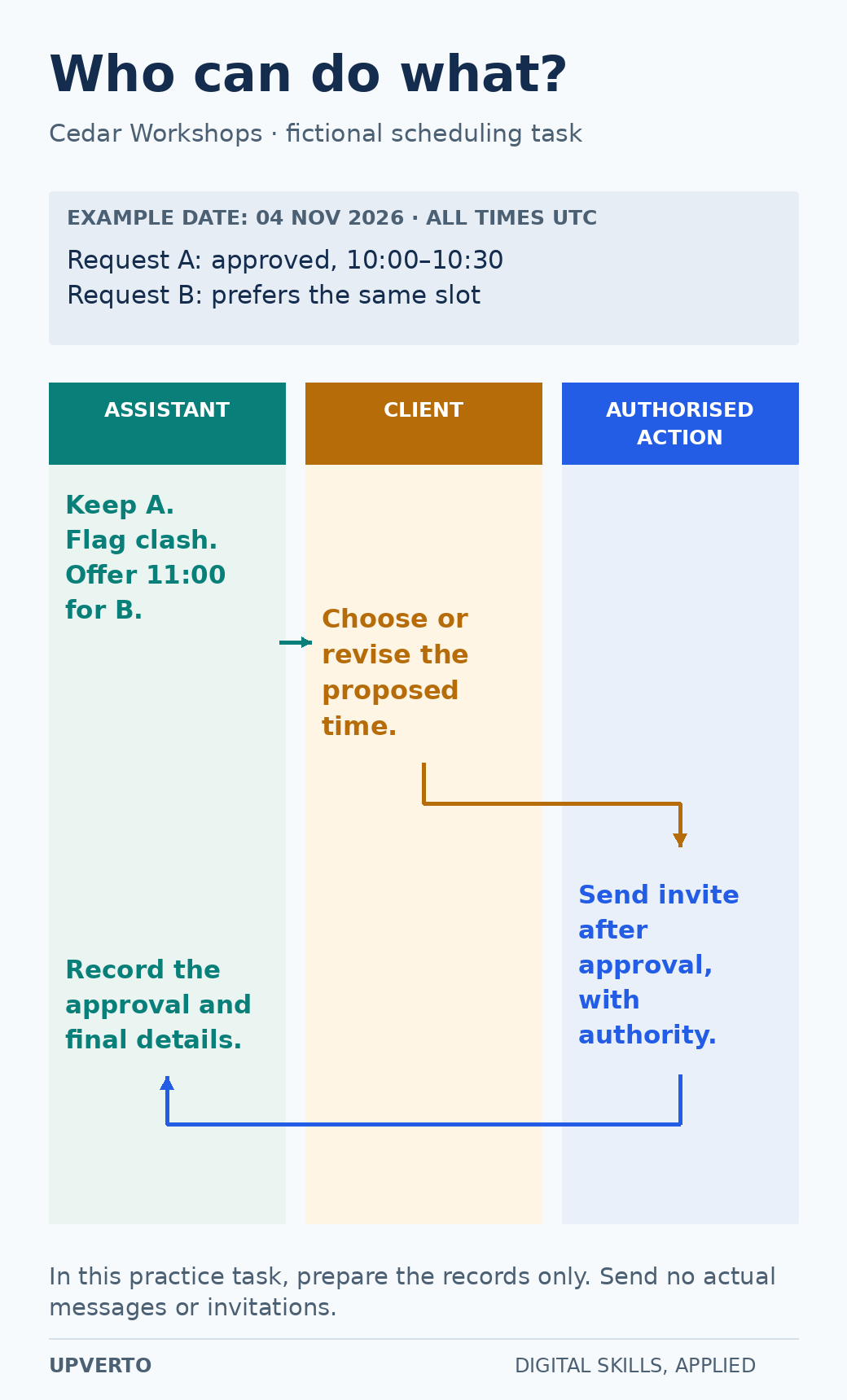
Read the text version: Separate preparation, decisions and authorised actions
Fictional Cedar Workshops example: on 4 November 2026, all times in UTC, request A is approved for 10:00–10:30 while request B merely prefers that same slot.
- Assistant prepares: preserve the approved meeting, flag the conflict and propose 11:00 for request B.
- Client decides: approve or revise the proposed alternative.
- Authorised action: an invitation may be sent only after the decision and only by someone with authority to send it.
- Assistant records: record the approval and final details in the tracker.
The time is an illustrative proposal, not a claim of confirmed availability. The article’s practice task uses invented records and sends no real messages or invitations.
Practical summary
- Receive: understand the request and its priority.
- Check: confirm information, permissions, and missing details.
- Prepare: complete the authorised task or draft.
- Review: verify accuracy and obtain required approval.
- Record: update the tracker and explain the next action.
Practice pack: a fictional workshop business
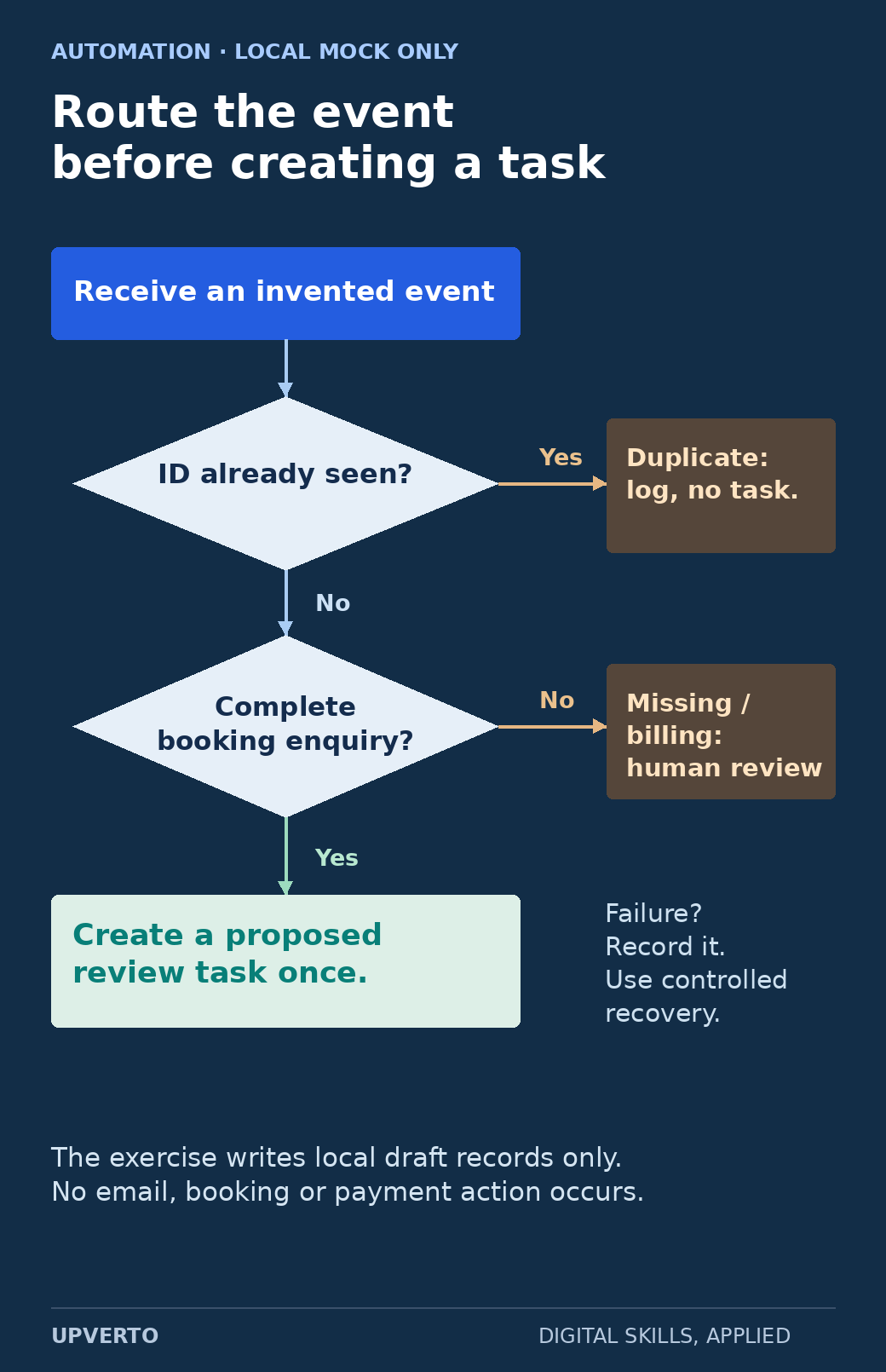
Fictional client: Cedar Workshops. Create invented records for a small set of workshop enquiries and meeting requests. Use no real customer information and send no actual messages or invitations.
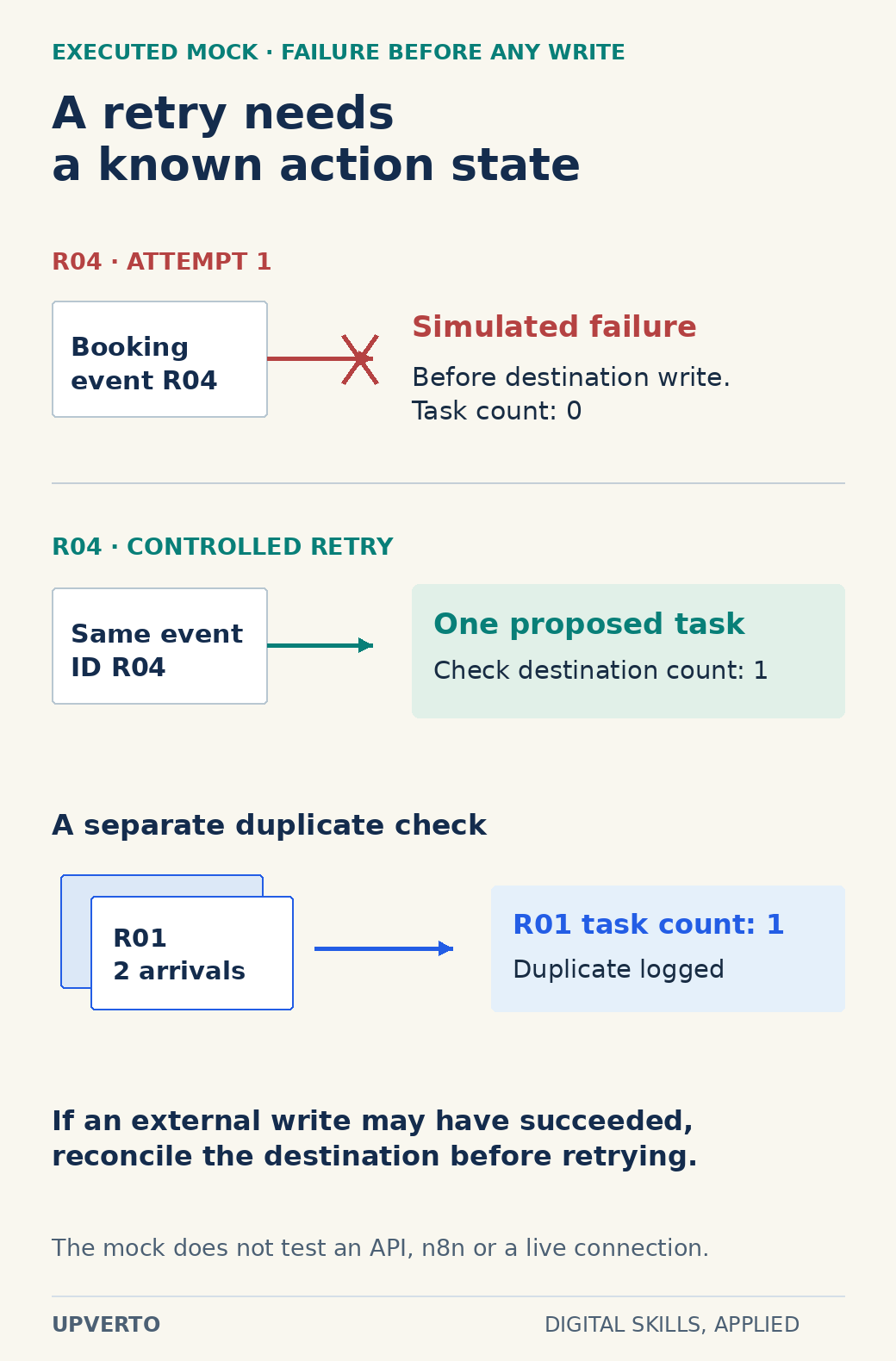
Your task is to create a tidy enquiry tracker, a proposed meeting schedule, and a short procedure another person could follow. Include one duplicate record, one missing detail, and one scheduling conflict so you have decisions to explain.
| Output | Required contents | Checks |
|---|---|---|
| Enquiry tracker | Request, source date, status, owner, next action, and unresolved question. | No invented missing facts; duplicates handled visibly; labels used consistently. |
| Proposed schedule | Date, time zone, duration, participants, and approval status. | No unresolved overlap; conversions checked; proposed entries remain clearly unconfirmed. |
| Draft responses | Short messages requesting missing information or confirming the understood request. | Accurate details, appropriate tone, and no unauthorised commitment. |
| Written procedure | Steps for receiving, checking, preparing, reviewing, and recording requests. | Another person can identify what to do and when to escalate. |
Worked example: resolve a scheduling conflict
Two fictional requests ask for the same 30-minute slot. One is marked approved; the other is only a preference. You preserve the approved meeting and flag the conflict in the proposed schedule.
You prepare a draft asking whether one of the alternative times is suitable. The draft includes the date, time zone, duration, and purpose. You do not silently move the approved meeting or send invitations without the authority to do so.
If a request uses a different time zone, verify the date-specific conversion. Daylight-saving rules can affect some locations. Recording a city or recognised time-zone name with the date is more useful than guessing what “tomorrow afternoon” means.
Make research easy to verify
For a research task, agree on the question and fields before collecting information. Record the source, date accessed, relevant fact, and uncertainty. Prefer the organisation’s own current information for its services or policies.
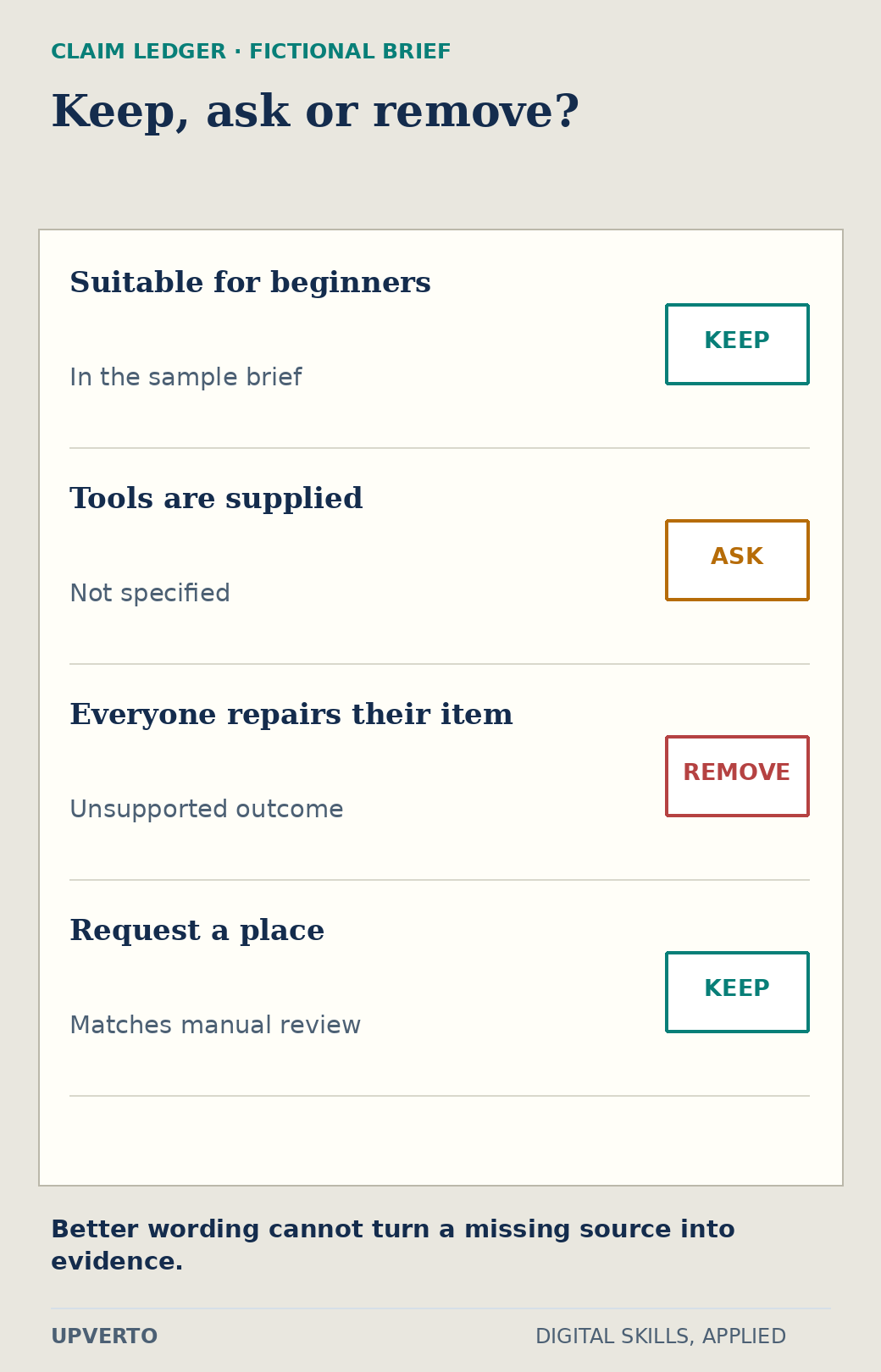
If a source does not answer the question, mark the field unresolved. Do not manufacture an email address, contact name, price, or availability to make the table look complete. The client needs to know the difference between a verified fact and a lead that needs checking.
Keep the scope proportionate and follow relevant privacy and platform rules. Collect only the information needed for the authorised task.
Write a procedure that supports consistent work
An SOP, or standard operating procedure, is a written description of how a repeatable task is performed. For a small service, it can be a short checklist with clear decision points.
- Record the request and its source.
- Check required information and the deadline.
- Flag missing details or conflicts.
- Prepare the authorised output using the agreed format.
- Compare the result with the source and requirements.
- Obtain approval before any action that requires it.
- Record completion and the next step.
Add the conditions that require escalation. For example, an unclear refund request, conflicting instructions, or unexpected sensitive information should follow the client’s agreed process rather than an improvised decision.
Use access and information responsibly
Agree on which accounts, folders, and actions the role requires. Use the client’s approved access-sharing process. Keep private information out of public samples and do not paste it into an external AI tool without the required permission and policy support.
Check unfamiliar job offers independently. The FTC’s job-scam guidance includes fake virtual-assistant offers involving fraudulent cheques and requests to forward money. A polished message or familiar-sounding job title is not proof that an opportunity is legitimate.
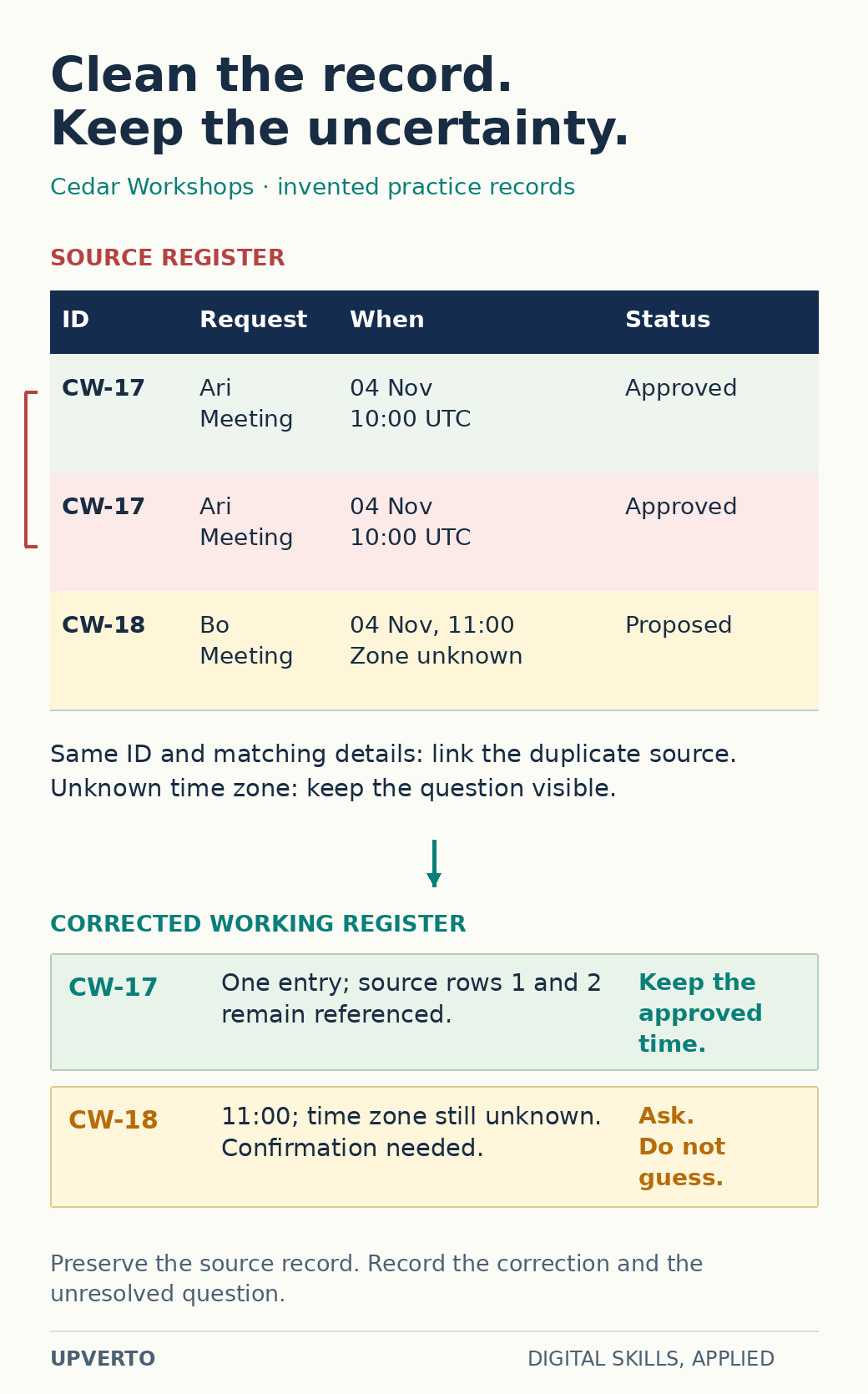
Read the text version: Correct a register without inventing missing facts
All records are invented for this teaching example.
| Source row | Request ID | Request | Time information | Status |
|---|---|---|---|---|
| 1 | CW-17 | Ari, meeting | 4 November, 10:00 UTC | Approved |
| 2 | CW-17 | Ari, meeting | 4 November, 10:00 UTC | Approved |
| 3 | CW-18 | Bo, meeting | 4 November, 11:00; time zone unknown | Proposed |
- CW-17: the ID and supplied details match. Show one working entry and retain references to both source rows. Preserve the approved time.
- CW-18: keep 11:00 as supplied but leave the time zone unknown. Ask for confirmation; do not infer the missing zone or send an invitation.
Keep the original source record and record how the working view was corrected. This example does not authorise deleting real records or acting on live requests.
Create a portfolio and a defined service
Your fictional task pack can show accuracy, organisation, clarification, and process design. Label the records as invented and explain which checks you performed. Use the portfolio guide to present the brief, outputs, decisions, and limits.
A possible narrow service might be preparing an enquiry tracker and draft responses for approval, within an agreed volume and schedule. Define the inputs, working hours, response expectations, permissions, and escalation boundaries using the package worksheet.
Use the readiness rubric before accepting tasks involving live accounts or customer data. If the work needs specialist knowledge, obtain the appropriate training or narrow the service.
Frequently asked questions
Is virtual assistance just data entry?
No. The role can include several forms of coordination and support, but the exact work must be defined. Begin with the tasks you can perform accurately rather than relying on the broad title.
Do I need to be available all day?
Availability is part of the agreement. Define working hours, time zones, response expectations, and urgent-request handling. Do not promise constant availability unless you can sustain it and the arrangement clearly supports it.
Which virtual-assistant tasks are suitable for a first practice project?
Choose a defined set such as organising a fictional contact list, preparing an event schedule or producing a short research summary. Use invented data, specify the expected result and check for missing, duplicate or inconsistent information. Practise the handover as well as the task itself.
What should I do when a client’s instructions are unclear?
Identify the missing decision and explain why it affects the task. Ask a focused question, record the answer and confirm the next step. Do not fill gaps by making purchases, sending messages or changing access unless those actions are within the agreed authority.
How should I handle client information and account access?
Use the client’s authorised access process and request only what the task requires. Keep information in approved locations and follow the agreed sharing and retention rules. Practise with fictional records before handling live information, and clarify what requires approval.
How can I show virtual-assistant work in a portfolio?
Present a fictional workflow, research sample or procedure with a short explanation of the brief, your checks and the result. Remove private information from any real work and obtain permission before sharing it. Show accuracy and organisation rather than listing a broad collection of tools.
Practise the full task pack
Complete the fictional tracker, schedule, drafts, and procedure using a learning plan. Then define a service supported by your evidence and use the client-finding guide to investigate suitable opportunities.